How to Add Data Enrichment to CRM Workflows
Automate CRM data enrichment—choose the right tool, clean and map fields, connect via integrations or APIs, and schedule updates to improve accuracy and reduce bounces.
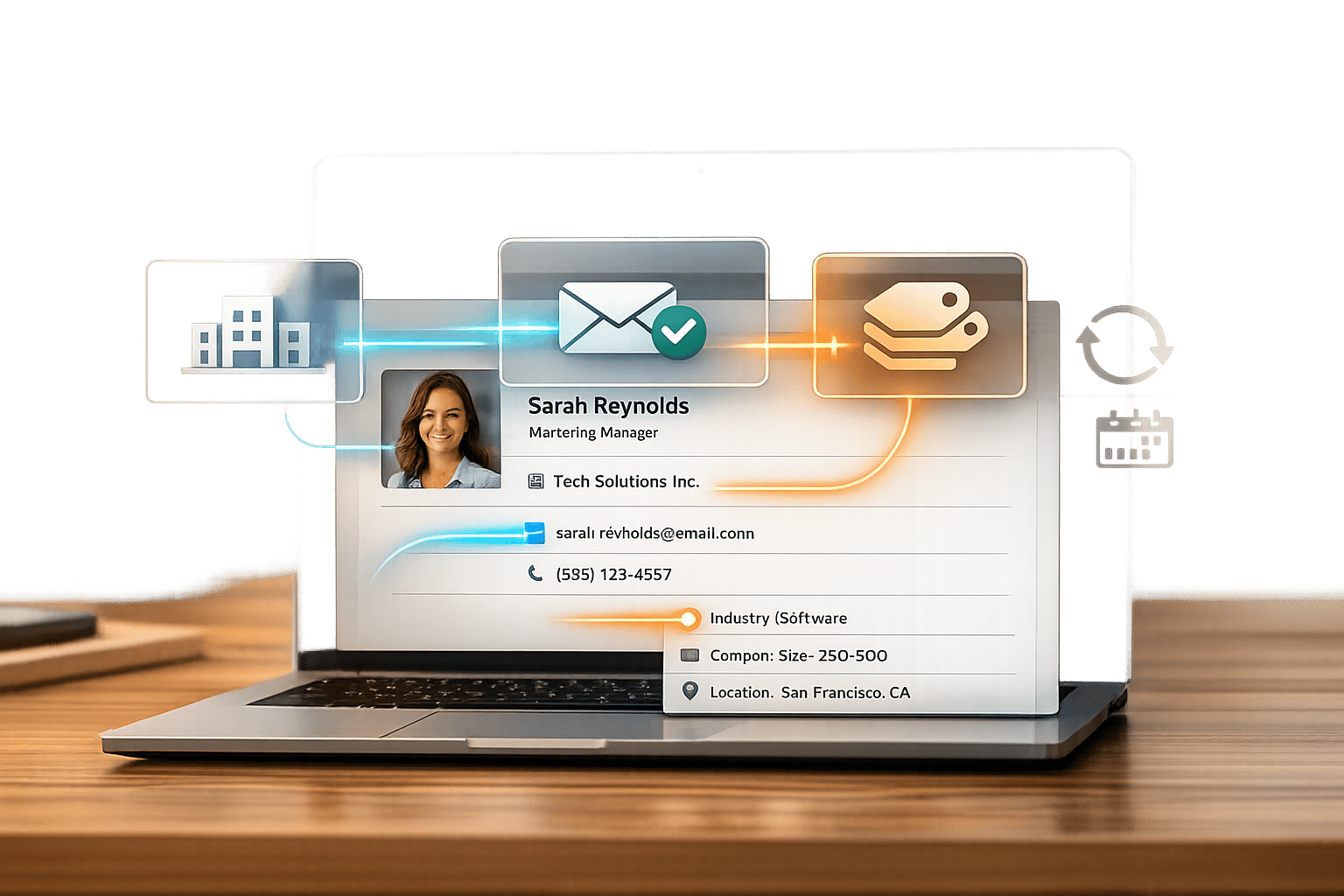
Your CRM is only as good as the data it contains. Missing or outdated information can cost your business time and money. Data enrichment solves this by adding verified, up-to-date details - like job titles, company size, and contact info - to your CRM records. This improves lead scoring, email personalization, and sales efficiency.
Key Takeaways:
- Why it matters: B2B data decays at 2.1% per month, costing companies $12.9M annually. Enriched data reduces errors and boosts sales revenue by up to 40%.
- How to choose a tool: Compare options like ZoomInfo, Apollo, Clay, or Enrichfox.ai. Consider factors like pricing (pay-per-use vs. subscription), accuracy (up to 98%), and CRM integration.
- Steps to implement:
- Audit and clean your CRM to remove duplicates and outdated data.
- Create custom fields to organize enriched details like revenue and employee count.
- Connect an enrichment tool via native integrations, APIs, or webhooks.
- Automate enrichment for new leads and schedule updates for older records.
Quick Comparison:
| Feature | Enrichfox.ai | ZoomInfo | Apollo | Clay |
|---|---|---|---|---|
| Pricing Model | Pay-per-use ($0.05/email) | $15,000/year | $49–59/user/month | $149/month |
| Email Accuracy | 99% (claimed) | 80–87% | 60–80% | 95–98% (waterfall) |
| CRM Integrations | API/Webhook | Salesforce, HubSpot | Salesforce, Zoho | API, Zapier |
Enrichment isn’t a one-time fix - it’s a continuous process. By automating updates and using the right tools, you’ll keep your CRM accurate, improve team productivity, and drive better results.
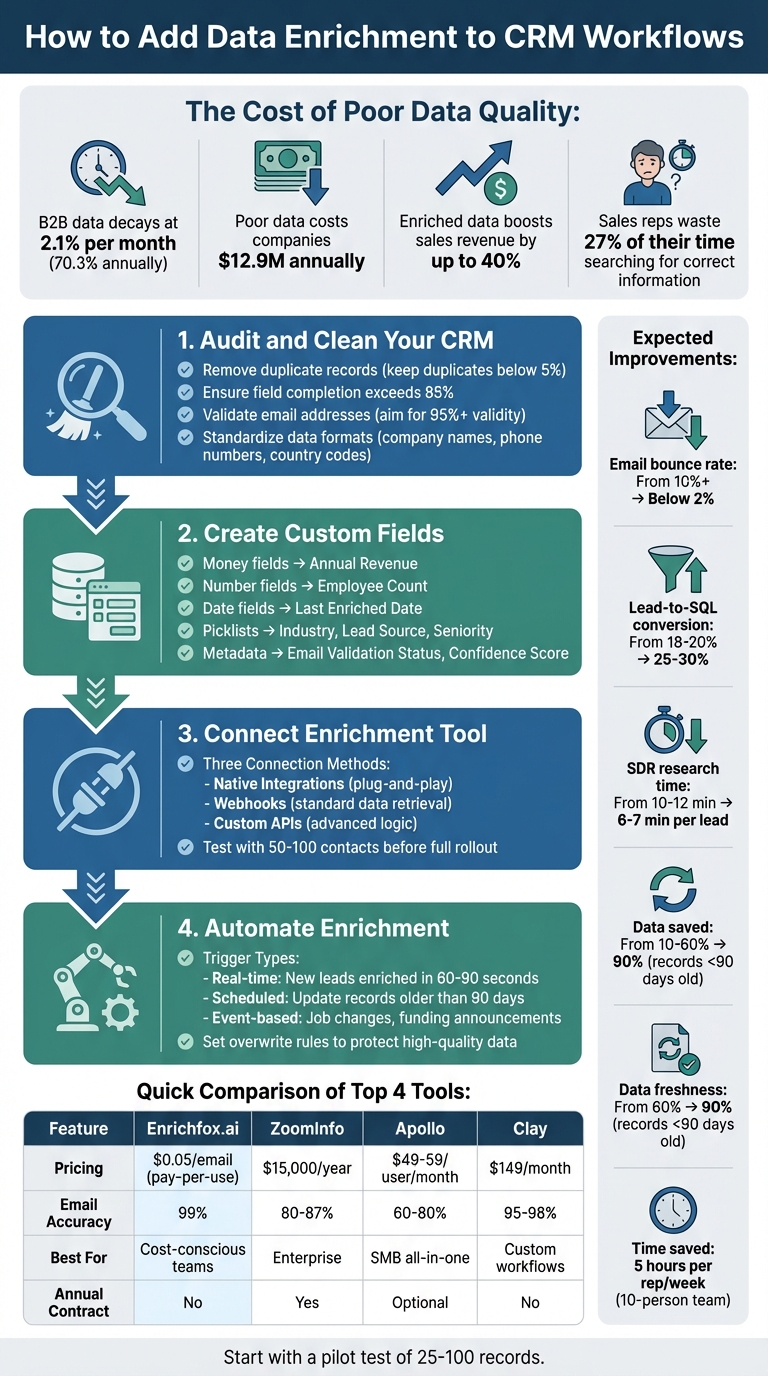
4-Step Process to Implement CRM Data Enrichment
How to enrich your CRM using Apollo (HubSpot, Sheets, Airtable and More)
Selecting a Data Enrichment Tool
Picking the right data enrichment tool can turn your CRM into a powerful revenue generator. The market is crowded with options like ZoomInfo, Apollo, Clay, and Enrichfox.ai, but they’re not all created equal. For instance, single-source tools like ZoomInfo and Apollo rely on their own databases, offering 50–70% coverage. In contrast, waterfall tools like Clay and Cleanlist pull data from over 15 providers, pushing coverage to 85–95%. That difference matters: paying $0.10 per record for 55% coverage might end up costing more than $0.15 per record at 90% coverage.
Accuracy is just as critical as coverage. ZoomInfo delivers 80–87% email accuracy, while Apollo falls between 60–80%. Waterfall enrichment tools can achieve up to 98% accuracy by cross-checking data across multiple sources. For phone numbers, single-source tools typically cap at 20–40% coverage, whereas waterfall approaches reach 50–70%. Considering B2B contact data decays at 70.3% annually and email decay hit 3.6% monthly in late 2024, regular verification isn’t optional.
Cost structures vary widely. ZoomInfo costs around $15,000 per year for seat-based licenses, while Apollo charges $49–59 per user monthly. Credit-based tools like Clay ($149/month) and Enrichfox.ai (starting at $0.00025 per verified email) let you pay only for what you use. Instead of focusing solely on upfront costs, calculate the price per usable record by factoring in match rates and verification success.
Native CRM integrations are another key consideration. Tools with built-in connectors for Salesforce, HubSpot, Pipedrive, and Zoho can save you from the hassle of custom engineering. Look for features like bi-directional sync, custom field mapping, and automation triggers for real-time enrichment. Without these, you might need to rely on APIs or webhooks, which add technical complexity and maintenance overhead.
Before you commit to a tool, test it. Export 500 contacts from your CRM and evaluate match rates, email verification success, and phone coverage. If more than 8% of emails bounce, your entire database might need enrichment. This pilot test will help you identify the tool that delivers the best results for your specific industry, market, and geography.
Key Features to Look For
Start with strong email and phone validation. Features like real-time SMTP checks and direct dial verification ensure your sales team isn’t wasting time on outdated or incorrect contacts. For high-velocity sales teams, API and webhook support can enable real-time enrichment as leads enter your CRM. If you're cleaning up an existing database, bulk enrichment capabilities are essential - pick tools that can handle thousands of records in one go without manual effort. Additionally, "do-not-overwrite" logic can safeguard manually verified data from being overwritten by automated updates.
Beyond basic contact details, look for tools that provide technographic and intent data. Knowing a prospect’s tech stack - such as whether they use Salesforce or AWS - and their buying signals can significantly improve targeting. Some providers can increase tech-stack identification coverage from 45% to 73%. Features like data standardization, which normalize job titles, company names, and locations, also help keep your CRM clean and free of duplicate records.
Finally, ensure the tool complies with GDPR and CCPA regulations, especially if you operate internationally. Dropcontact and Cognism are examples of tools designed with strong GDPR compliance for EMEA markets.
Enrichfox.ai vs. Competitors
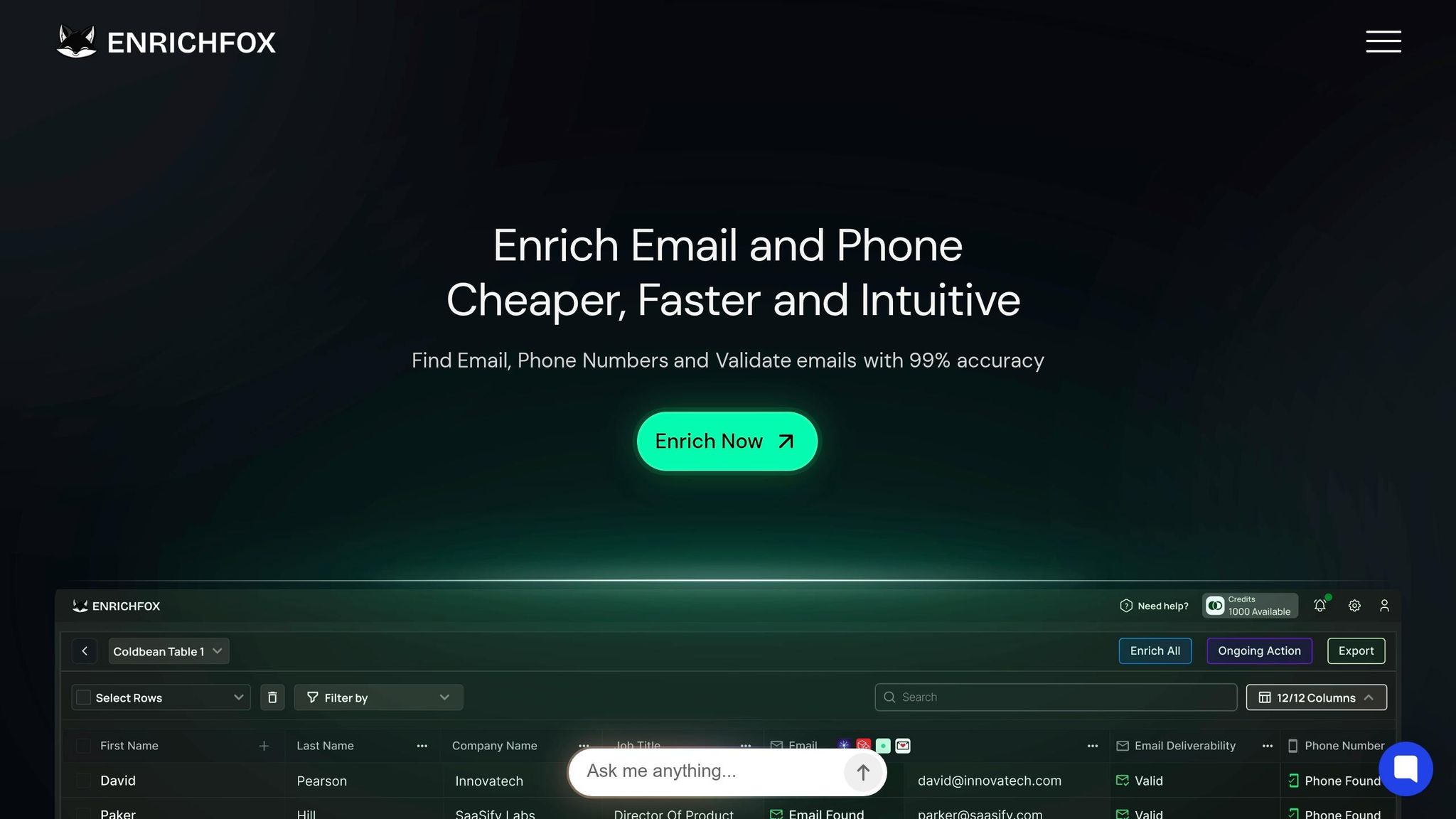
Enrichfox.ai offers a pay-as-you-go model, charging $0.00025 per verified email, $0.05 per email found, and $0.03 per valid phone number. This eliminates annual contracts and allows you to scale based on your needs. It claims 99% email validation accuracy and includes bulk enrichment, API/webhook integrations, and CSV export - covering the essentials for most CRM workflows.
ZoomInfo, on the other hand, dominates the enterprise market with the largest proprietary B2B database, particularly excelling in the U.S. It requires annual contracts starting at $15,000. Apollo is a favorite among small to medium businesses, combining enrichment with sales engagement tools for $49–59 per user monthly. However, its email accuracy often ranges between 60–80%, compared to ZoomInfo’s 80–87%.
Clay takes a different approach, connecting over 15 data sources for customizable workflows, achieving 85–95% coverage at $149 per month. It’s highly rated (4.9/5 on G2), but its complexity often demands expertise in go-to-market engineering to set up advanced data pipelines. Meanwhile, Dropcontact specializes in GDPR-compliant real-time email generation without storing a database, making it a strong option for European markets.
| Feature | Enrichfox.ai | ZoomInfo | Apollo | Clay |
|---|---|---|---|---|
| Pricing Model | Pay-per-use ($0.00025–$0.05/email) | Seat-based (~$15,000/year) | Seat-based ($49–59/user/month) | Credit-based ($149/month) |
| Email Accuracy | 99% (claimed) | 80–87% | 60–80% | 95–98% (with waterfall) |
| Phone Coverage | Validation included | 20–40% | 20–35% | 50–70% (waterfall) |
| CRM Integrations | API/Webhook | Salesforce, HubSpot, Dynamics | Salesforce, HubSpot, Zoho | API, Zapier, HubSpot, Salesforce |
| Best For | Cost-conscious teams; pay-per-use | Enterprise-level; intent data | SMB all-in-one outreach | Custom data workflows |
| Annual Commitment | No | Yes | Optional | No |
This breakdown helps you find a tool that fits seamlessly into your CRM workflow. Your decision should factor in team size, budget, and technical expertise. For enterprise teams with complex workflows, ZoomInfo might be the go-to. SMBs looking for an all-in-one platform may prefer Apollo. Teams with technical resources might lean toward Clay for its flexibility, while Enrichfox.ai is ideal for those seeking a straightforward, usage-based model without annual contracts or advanced setup requirements. Once you’ve chosen a tool, prepare your CRM by cleaning your data and setting up custom fields for smoother enrichment.
Preparing Your CRM for Enrichment
To ensure your CRM can handle enriched data effectively, it's essential to get it organized first. Many B2B CRMs have messy databases, with 20–30% duplicate records and over 25% of fields incomplete. Adding enriched data to such a database can lead to duplicate accounts, conflicting details, and errors in automation workflows. As Bitscale puts it:
You cannot enrich a messy database.
Start by performing a thorough data quality audit. Check for duplicate records, measure how many required fields are empty, and validate email addresses. Your goal? Keep duplicates below 5%, ensure field completion exceeds 85%, and aim for email validity rates above 95%. Skipping this step could waste enrichment credits on outdated or useless records, and create extra work later. Plus, sales reps might spend around 27% of their time searching for correct information instead of selling.
Creating Custom Fields
Custom fields are essential for organizing enriched data and enabling automation. Use the right field types for different data:
- Money fields for annual revenue
- Number fields for employee count
- Date fields for tracking when data was last enriched
For categories like "Industry", "Lead Source", or "Seniority", use picklists instead of free text. This avoids inconsistencies like "VP Sales" versus "Vice President of Sales", which can mess up lead scoring and routing. Geographic data should also follow a standard, like ISO country codes (e.g., US, GB, CA), to ensure accurate territory assignments.
Don’t forget metadata fields. These include details like "Email Validation Status", "Confidence Score", and "Last Verified Date". Such fields help track data quality and signal when a record needs re-enrichment. Considering that B2B contact data decays at a rate of 70.3% annually and 65.8% of contacts change job titles within a year, keeping tabs on the last verification date is crucial.
Here’s a quick breakdown of recommended field types:
| Field Category | Recommended CRM Field Type | Example Enriched Data |
|---|---|---|
| Contact Info | Text / Website / Phone | LinkedIn URL, Direct Dial, Mobile Number |
| Firmographics | Money / Number / Picklist | Annual Revenue, Employee Count, Industry |
| Technographics | Tags / Multi-select Picklist | Current CRM, Marketing Automation Tool |
| Metadata | Date / Picklist | Last Enriched Date, Email Verification Status |
| Intent Signals | Number / Text | Website Visits, Content Engagement Score |
Use clear, descriptive labels for fields - like "Company Annual Revenue" instead of something cryptic like "Rev1." As Zaid Khan from Telecrm advises:
If a field isn't actively used in follow-ups, filters or reporting, it probably doesn't need to exist.
Once your custom fields are ready, it’s time to clean your existing data.
Cleaning Your Existing Data
Before enriching your CRM, tackle duplicate records. Adding data to duplicates only complicates future merges, which can become costly and time-consuming. Most CRMs include built-in deduplication tools to help with this.
Next, standardize your data. Enrichment tools rely on inputs like names, companies, and domains to match records, so consistency is critical. For example:
- Remove suffixes like "Inc." or "LLC" from company names
- Use ISO country codes for geographic data
- Format phone numbers using the E.164 international standard (e.g., +1 555 123 4567)
Also, verify emails and phone numbers to eliminate bounces and disconnected lines by using AI-powered tools for contact data accuracy before enrichment. Always back up your CRM data before making large-scale changes to avoid accidental losses.
Finally, set up safeguards to maintain data quality. For instance, create a custom boolean field called "Manually Verified." Configure your enrichment tool to skip any field marked as "True" here. This prevents overwriting high-quality data, like a phone number confirmed by a sales rep, with lower-confidence third-party data. As Bitscale warns:
One bad overwrite rule can ruin months of clean CRM hygiene.
Connecting the Enrichment Tool to Your CRM
Once your CRM is ready, the next step is linking it to your chosen enrichment tool. You can typically choose between three connection methods: native integrations, webhooks, or custom APIs.
- Native integrations are plug-and-play solutions that require minimal setup.
- Webhooks work well for standard data retrieval.
- Custom API integrations are ideal for teams needing advanced logic or pulling data from multiple sources.
If your team manages multiple CRMs - like using Salesforce for enterprise accounts and HubSpot for mid-market - tools such as Unified.to can simplify the process. They offer a single API that connects various enrichment providers to all your systems, using a standardized schema. This setup ensures smooth data enrichment and keeps your CRM consistently updated.
Setting Up API or Webhook Connections
The setup process depends on your chosen integration method. Here’s how to get started:
- Secure API credentials using your CRM’s secret management tools. For example, in HubSpot, you can store keys in the "Secrets" section of a custom code block. For webhooks, include the API key in the request header (e.g.,
Authorization: Token [API_KEY]). - To configure a webhook in HubSpot, add a "Webhook" action with the endpoint URL, select GET, and include the necessary query parameters like LinkedIn URLs or email addresses.
- For more advanced control, use a custom API script (e.g., in Python). This allows you to map input fields, such as email addresses, and define output fields for updating CRM properties.
Before scaling up, test the integration with a single record. Both HubSpot and Salesforce offer "Test" features to run API calls on individual contacts. Review the returned JSON data and check HTTP status codes: a 200 response confirms a successful match, while a 204 response means the API worked but found no matching data for the contact.
Verifying Data Flow
To ensure everything is running smoothly, monitor the sync status on your integration’s management page. Common statuses include "Sync Running", "Sync Complete", or "Permission Check Error." If you encounter a permission error, ask your CRM administrator to verify that the integration user has the proper read/write access for Leads, Contacts, and Accounts.
Test the setup with a batch of 50–100 contacts. Use a test contact (e.g., a name and company domain) to verify enrichment within five minutes. Then, spot-check a random selection of enriched records against LinkedIn or company websites. If the match rate is 80% or higher, you can proceed with the full rollout.
Be aware of potential challenges during integration. If the match rate is low, try adding more input fields, like LinkedIn URLs or company domains, to the trigger payload. For failed syncs, check if API limits have been exceeded or if credentials have expired. Setting up alerts can help you catch these issues early. Lastly, ensure that enriched data points, such as "company_size", are correctly mapped to CRM fields and don’t overwrite existing, valuable information.
Automating Data Enrichment
Automation is the key to keeping your CRM data accurate and up-to-date, especially considering how quickly B2B data becomes outdated. With an annual data decay rate of 25–30% and job titles changing at a rate of 30–35% per year, relying solely on manual updates can leave your sales team working with stale information - and missing critical opportunities.
Setting Up Automation Triggers
A well-designed system uses multiple types of triggers to keep data fresh. For inbound leads, triggers should activate as soon as a lead enters your CRM. This could happen through web forms, manual input, or bulk imports. Integrating webhooks can ensure enrichment kicks in within 60–90 seconds of lead capture.
To maintain ongoing data hygiene, schedule periodic triggers - anywhere from weekly to quarterly - to update records older than 90 days. Advanced setups can also include event-based triggers, which activate on specific signals like job changes or funding announcements. For instance, a job change trigger once helped LegalOn identify a key client’s new role, allowing them to act quickly and save a $250,000 account.
When configuring triggers, establish clear overwrite rules to protect high-quality data. Automation should only "Auto-fill" blank fields or "Overwrite" data if it’s over 18 months old. This prevents accidental loss of valuable manual entries or product sign-up data entered by your team.
Once triggers are in place, the next step is deciding between real-time and batch processing for data enrichment.
Real-Time vs. Batch Enrichment
Choosing the right processing mode depends on your workflow and priorities.
- Real-time enrichment updates records instantly via APIs or webhooks as they enter your CRM. This is perfect for fast-paced sales teams where speed is essential - half of buyers go with the vendor that contacts them first. Real-time enrichment also helps reduce email bounce rates to under 3%, compared to 15–25% for unverified lists. However, this method often comes with higher costs due to credit or subscription-based pricing models.
- Batch enrichment, on the other hand, processes large contact lists periodically - monthly or quarterly - using manual CSV uploads or scheduled automation. It’s more cost-effective for large-scale updates and works well for database audits, CRM migrations, or businesses with longer sales cycles.
A hybrid approach often works best. Use real-time enrichment for new leads to ensure immediate accuracy, and schedule batch updates for older records. Waterfall enrichment, which queries multiple data sources in sequence, can boost fill rates by 20–30% compared to single-source tools. For example, Enrichfox.ai offers both real-time API/webhook integrations and CSV-based batch workflows, charging $0.05 per valid email and $0.03 per valid phone number - providing flexibility and cost efficiency.
Testing and Scaling Your Workflow
Before diving into full-scale implementation, it's crucial to test your enrichment workflow. Rushing into scaling without addressing potential flaws or unreliable data sources can lead to hefty expenses and long-term CRM data issues.
Running Pilot Tests
Start small. Use a sample of 25–100 records that reflect the diversity of your database. Compare the enriched data manually with trusted sources like LinkedIn profiles or company websites to verify details like job titles, employee counts, and contact information. Your goal? Achieve at least 80% accuracy across all fields before proceeding.
Once you hit that accuracy benchmark, expand the test to 200–500 records. This larger sample helps uncover edge cases, such as formatting inconsistencies in international phone numbers, special characters in names, or mix-ups between parent companies and subsidiaries. Pay close attention to email bounce rates - if they spike, it could signal issues with your data sources or verification process. For example, Bitscale tested 1,200 CRM accounts and initially found only 58% of emails were verified with their first provider. By adding a fallback provider and implementing strict "do-not-overwrite" rules, they boosted coverage to 71% and cut bounce rates by half.
When scaling, take it step by step. Start with batches of 5,000 records, then move to 10,000. Spot-check 30–40 records from each batch to catch errors early. Also, remember to deduplicate your records before enrichment to avoid wasting credits on duplicates. This gradual approach ensures your data enrichment stays reliable as your database grows.
Once pilot tests confirm accuracy, shift your attention to monitoring long-term performance.
Monitoring Performance
Building on the success of your pilot tests, keep a close eye on system performance to maintain data quality and control costs. For example, track API response times - ideally, median latency should be between 0.8–1.3 seconds. If response times exceed 3 seconds, consider asynchronous processing or retry policies. Also, monitor enrichment success rates for key fields like job titles, emails, and phone numbers, and keep tabs on credit consumption to stay within budget.
Set up regular checks to ensure ongoing reliability. Conduct weekly spot-checks, review bounce rates monthly, and perform deep audits quarterly. These audits should include full deduplication and email re-verification. For instance, Remote.com automated their enrichment process in 2024, handling over 100,000 accounts every 45 days. By maintaining a 98.9% data accuracy rate, they reduced SDR research time by 40%. Considering that poor data quality can cost organizations an average of $12.9 million annually, consistent monitoring is essential to protect your investment and maximize productivity.
| KPI Metric | Industry Average | Target Post-Enrichment |
|---|---|---|
| Email Bounce Rate | 5–8% | <1% |
| Lead-to-SQL Conversion | 18–20% | 25–30% |
| SDR Research Time per Lead | 10–12 minutes | 6–7 minutes |
| Data Freshness (<90 days) | 60% | 90% |
Note: These KPIs are designed to measure the effectiveness of your enrichment workflow over time. Continuous tracking of these metrics will help you gauge improvements and ensure long-term success.
Conclusion
Adding data enrichment to your CRM can lead to 30% higher sales revenue and significantly improve team efficiency. For example, a 10-person team can save about 5 hours per rep each week through automation - essentially gaining the productivity of an extra full-time employee without increasing costs.
To maintain long-term CRM success, treat data enrichment as an ongoing process, not a one-time effort. With B2B data decaying at a rate of 25-30% annually, even a meticulously cleaned database can become outdated in just 12-18 months without regular upkeep. Automated triggers and clear overwrite rules play a crucial role in preserving data quality. For instance, set up triggers to enrich new leads, create overwrite rules to safeguard your most accurate data, and schedule periodic re-enrichment cycles to address job changes and company updates before they lead to issues like bounced emails.
Start small with a pilot program, and expand once you're confident in the accuracy of your enrichment process. The initial cost - usually $0.02-$0.05 per record - is quickly offset by improvements such as lower bounce rates, better lead quality, and higher response rates. Companies that adopt enrichment workflows often see email bounce rates drop from over 10% to below 2%, and outreach targeting job changes achieves 3-5x higher response rates compared to cold outreach. Tools like Enrichfox.ai make this process easier with pay-as-you-go options and reliable accuracy.
The data enrichment market is projected to grow to $4.65 billion by 2029, and 75% of organizations plan to implement real-time enrichment to stay competitive. Stale data can be costly - 37% of CRM users already report losing revenue due to poor data quality. By following these steps, from selecting the right tools to automating workflows, you can keep your CRM data clean and ensure your sales pipeline remains active and effective.
FAQs
How often should I re-enrich CRM records?
The frequency of updating CRM records hinges on your sales cycle and the pace of change in your industry. For industries that evolve rapidly, such as SaaS, updating records quarterly is often a smart choice. Some businesses take it a step further by implementing real-time or automated updates to keep their data fresh and accurate. Whether you choose quarterly updates or continuous enrichment, staying on top of your CRM data ensures it remains dependable and actionable for your team.
What fields should I enrich first for better lead scoring?
To get better results in lead scoring and segmentation, start by enhancing fields like demographic, firmographic, and behavioral data. This includes details like the industry a company operates in, its size, and specific contact information. These elements play a key role in refining how leads are scored and improving the precision of your targeting efforts.
How do I prevent enrichment from overwriting good CRM data?
To keep your CRM data accurate and prevent overwriting valuable information, it's essential to take some precautionary steps. Start by using validation processes to compare new data with existing records before making updates. A smart approach is to store enriched data in staging fields initially. This way, only verified and accurate information gets updated in the main fields.
Another effective strategy is to automate real-time validation. This can catch errors or inconsistencies as they happen, ensuring only reliable data makes it into your system. Additionally, applying filters to flag outdated or incorrect data can further safeguard your records, keeping your CRM clean and trustworthy.