Top 10 Lead Management Tools for Small Business
Compare 10 lead management tools for small businesses—pricing, free plans, and key features like data enrichment, automation, and integrations.

Managing leads effectively is essential for small businesses to stay organized and close deals efficiently. This article highlights 10 lead management tools designed to help small teams save time, prioritize prospects, and streamline sales processes. Here’s a quick overview of the tools covered:
- Enrichfox.ai: Pay-as-you-go pricing for data enrichment, offering 99% email validation accuracy.
- HubSpot CRM: Free plan for up to 2 users, with advanced features like lead scoring in paid tiers.
- Zoho CRM: Free for 3 users, with affordable upgrades and AI-powered lead scoring.
- Pipedrive: Visually-focused sales pipeline management with automation options.
- Nimble: Combines CRM, email marketing, and social media prospecting in one plan.
- BIGContacts: Unlimited users, contact-based pricing, and simple automation tools.
- monday CRM: Spreadsheet-style interface with no-code automation and AI tools.
- LeadSquared: Advanced lead routing and workflow automation for high-volume teams.
- Flowlu: Combines CRM, project tracking, and financial tools in one system.
These tools cater to different budgets and business needs, from free plans to affordable monthly subscriptions. Whether you’re looking for basic contact management, advanced automation, or data enrichment, there’s an option to fit your requirements.
Quick Comparison:
| Tool | Starting Price | Free Plan | Best For | Key Feature |
|---|---|---|---|---|
| Enrichfox.ai | Pay-as-you-go | No | Data enrichment | Accurate email validation |
| HubSpot CRM | $15/user/month | Yes | All-in-one sales and marketing | Lead scoring and prospect tracking |
| Zoho CRM | $14/user/month | Yes | Multichannel engagement | AI-powered lead scoring |
| Pipedrive | $14/user/month | No | Visual pipeline management | Easy-to-use interface for sales tracking |
| Nimble | $24.90/user/month | No | Social media and email integration | Browser extension for LinkedIn and Twitter data |
| BIGContacts | $9.99/month | Yes | Small teams | Unlimited users with contact-based pricing |
| monday CRM | $12/user/month | No | Visual workflows | AI-generated emails and automation |
| LeadSquared | $25/user/month | No | High-volume sales | Real-time lead routing |
| Flowlu | $9/user/month | Yes | All-in-one business tool | CRM with project and financial management |
Explore these tools to find the right fit for your business and start managing your leads more efficiently.
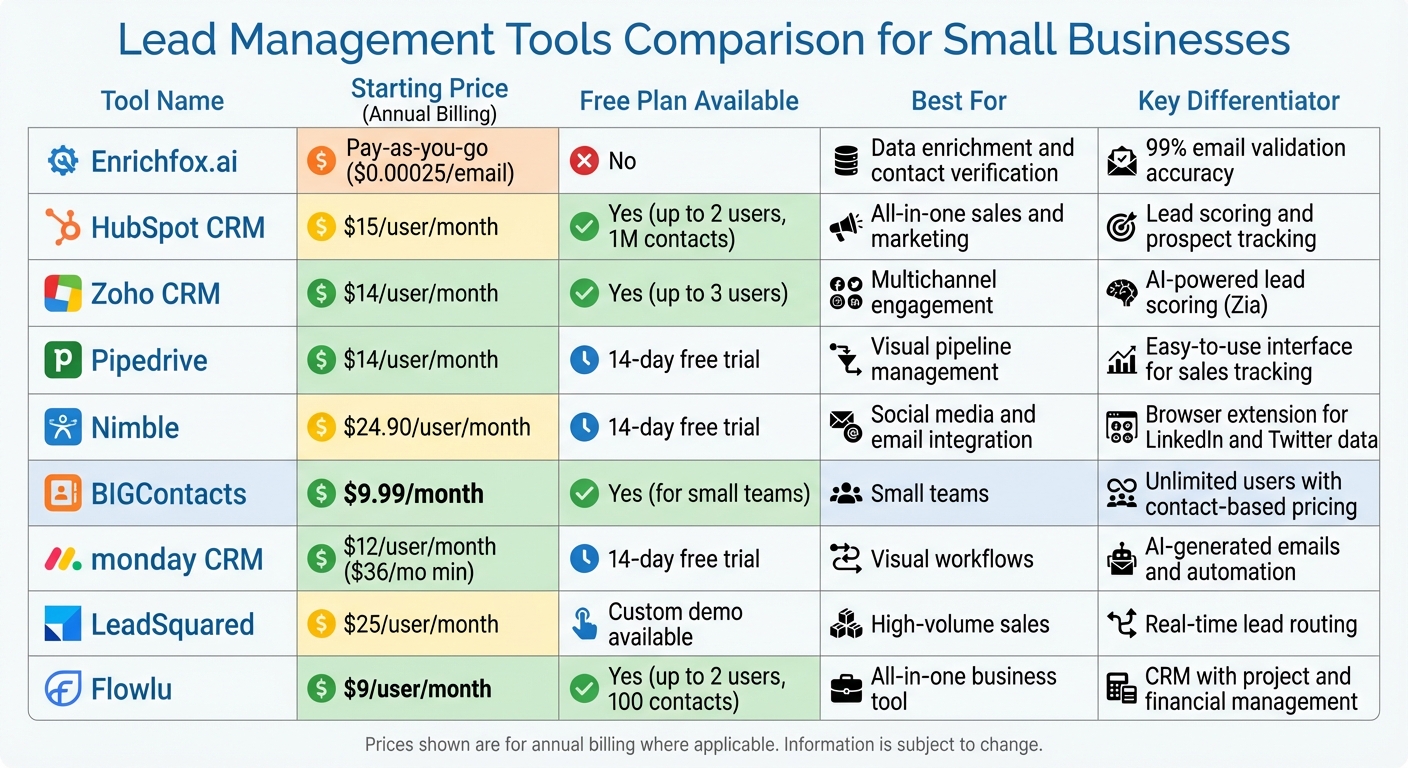
Lead Management Tools Comparison: Features, Pricing & Best Use Cases
My TOP 5 CRM Software for 2025 | Free vs Paid CRMs for Small Business
1. Enrichfox.ai
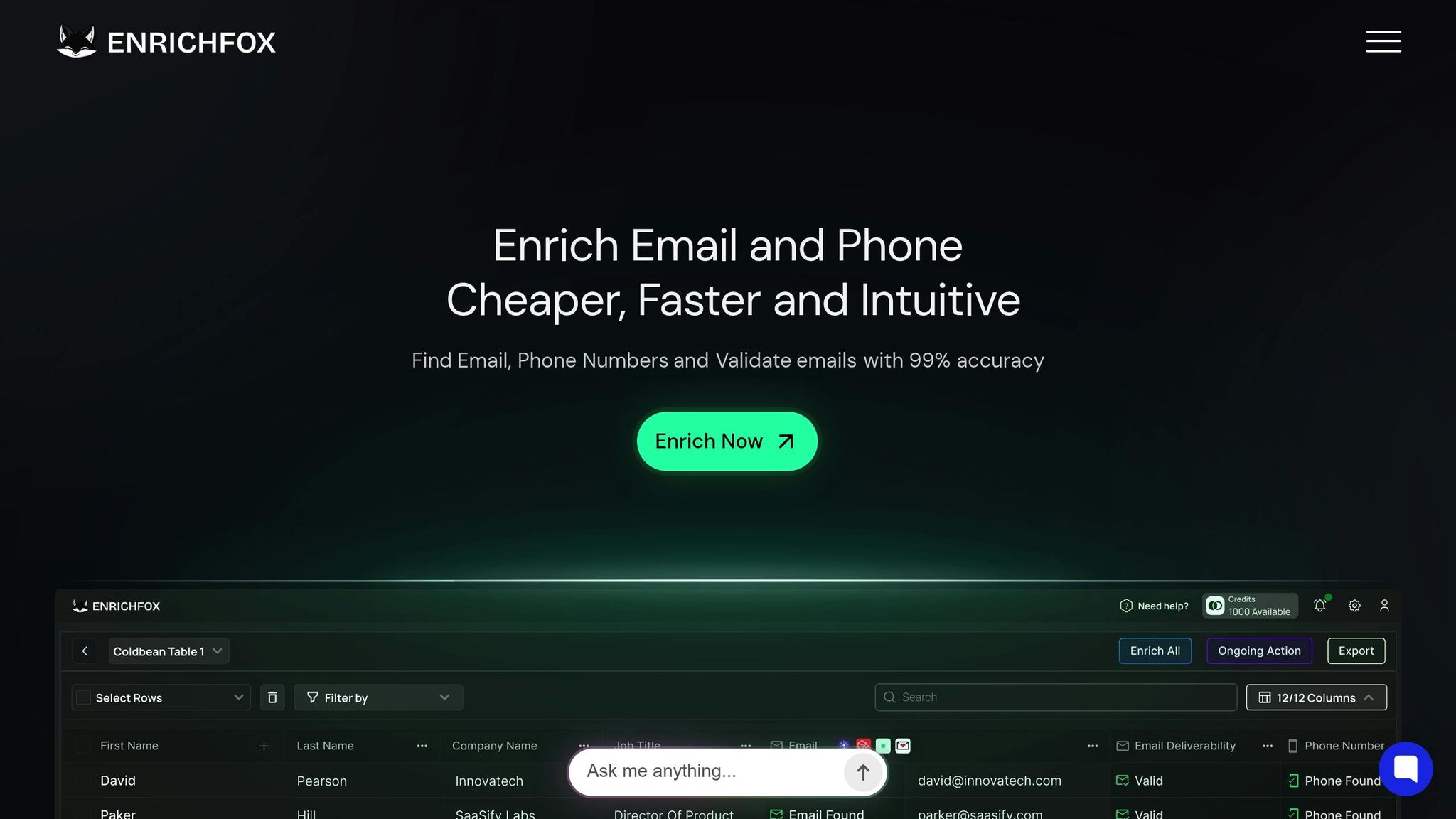
Enrichfox.ai is a data enrichment platform designed to help small businesses find and verify contact information for their leads. Unlike traditional CRMs that primarily organize existing contacts, Enrichfox focuses on filling in the gaps in incomplete lead data. Let’s take a closer look at how its pricing, enrichment features, and integration options make it a valuable tool for small businesses.
Pricing That Fits Small Business Budgets
Enrichfox uses a straightforward pay-as-you-go model, which means you only pay for the data you actually use. There are no mandatory monthly subscriptions or per-user fees. The pricing is simple: $0.05 per valid email, $0.03 per valid phone number, and $0.00025 per email verification. For example, enriching details for 30 leads from a list of 100 would cost just a few dollars. This flexible approach allows businesses to focus on what they need without overspending, making it a practical option for selective data enrichment.
Powerful Lead Enrichment Features
With 99% accuracy in email validation, Enrichfox ensures your outreach efforts are effective and targeted. The platform can identify catch-all emails, validate phone numbers, and complete missing contact details. All you need to do is upload a CSV file of partial leads, and Enrichfox takes care of the rest - automatically filling in the blanks for emails and phone numbers. By eliminating the need for manual research, it saves businesses both time and effort.
Seamless Integration with Popular Tools
Enrichfox is built to work smoothly with your existing systems. It offers API and webhook integrations, making it easy to connect with CRMs like HubSpot, Zoho, or Pipedrive. Enriched data can also be exported as a CSV file and directly imported into these platforms. To ensure a hassle-free setup, the platform provides live chat support for integration assistance. Additionally, its flexible API allows technical teams to create custom workflows tailored to specific business needs.
2. HubSpot CRM
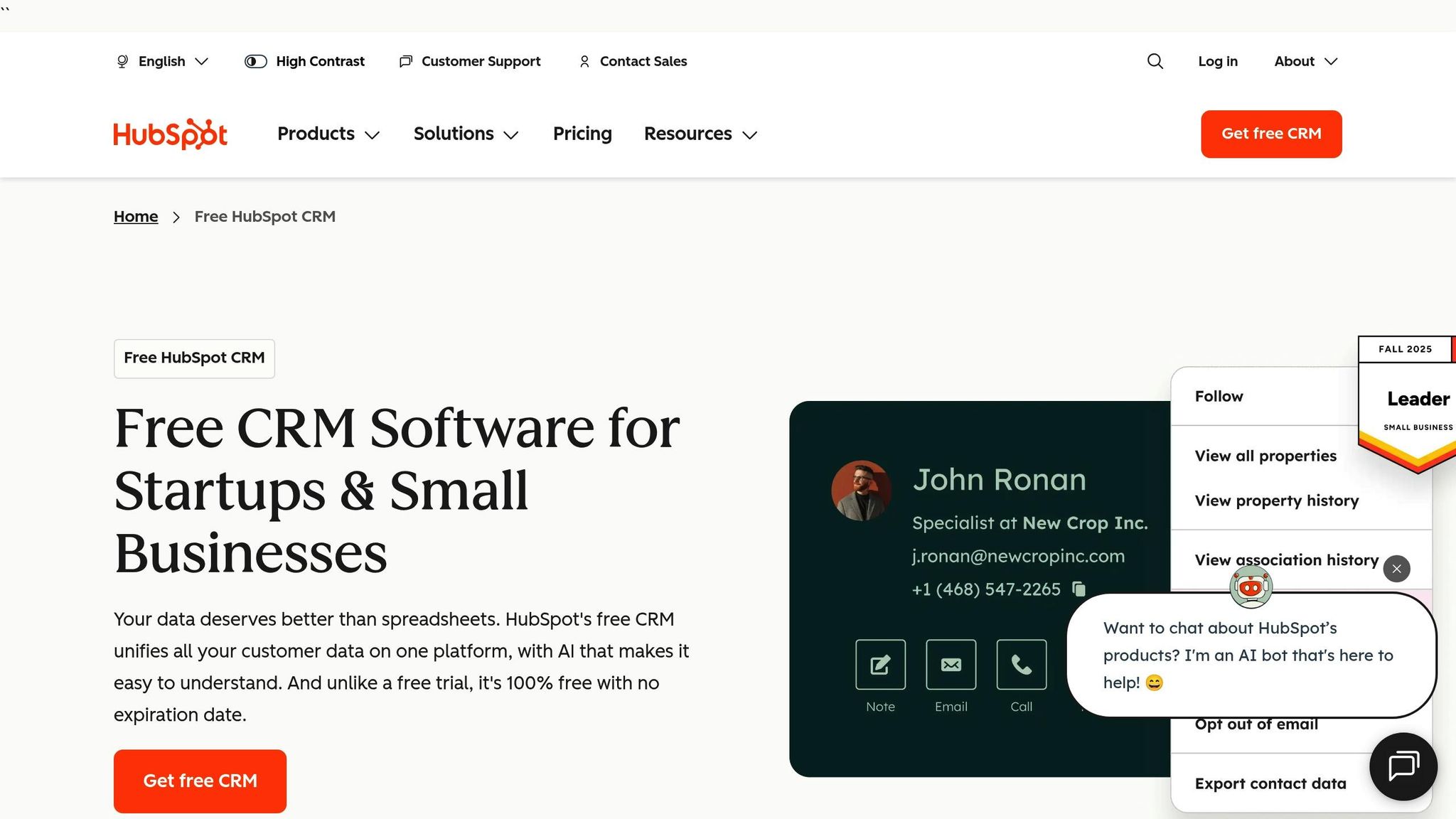
HubSpot CRM stands out as a comprehensive lead management platform, blending lead capture, contact management, and sales automation into one system. It’s designed to streamline sales processes and help teams work more efficiently.
Pricing and Affordability for Small Businesses
HubSpot offers a free plan that supports up to 1 million contacts and two users, making it a great option for small teams. For those needing more features, the Starter plan costs $15 per user per month and includes extra pipelines and 500 calling minutes. The Professional plan, priced at $1,170 per month for five users, unlocks advanced features like lead scoring, which aren’t available in lower tiers.
Lead Capture and Enrichment Capabilities
HubSpot excels in lead capture, utilizing web forms, landing pages, and email integrations with Gmail and Outlook to gather potential customer information. Its Prospects tool takes things a step further by tracking website visits in real time, even identifying companies before they submit any forms. Once a lead provides a corporate email address, HubSpot enriches their contact details using its database of over 20 million businesses. HubSpot claims that businesses using their CRM and tools see a 3x increase in lead generation and a 94% boost in closed deals.
Automation and Workflow Management
The platform includes no-code email automation even in its free version, allowing businesses to set up triggers based on lead engagement and monitor behavior from a centralized dashboard. LJ Finney, CEO & Co-Founder of IN-18, shared, "The HubSpot Starter Platform has elevated our brand's professionalism by centralizing essential resources".
Ease of Integration with Other Tools
HubSpot’s App Marketplace offers a wide range of native integrations, including accounting software like QuickBooks and communication tools such as Slack and Zoom. For software without native integration, HubSpot connects to over 7,000 apps through Zapier. Companies have reported impressive results: TPD reduced client onboarding time by 75% with the PandaDoc integration, and Vacasa cut customer service wait times by 40% using Aircall.
Next, we’ll dive into another impactful tool for lead management.
3. Zoho CRM
Zoho CRM is a robust yet budget-friendly solution for lead management, trusted by over 300,000 businesses worldwide. It strikes a balance between affordability and functionality, making it a popular choice for organizations of all sizes.
Pricing and Affordability for Small Businesses
Zoho CRM's "Free Forever" plan supports up to three users, making it a great starting point for home-based businesses or small teams. For those needing more features, the Standard plan is available at $14 per user per month (billed annually) and includes tools like lead scoring (up to 10 criteria per module) and mass email functionality. Additionally, Zoho's lightweight CRM tool, Bigin, starts at just $7 per user per month. Paul Grimes of Lubrication Engineers highlighted a 15–25% improvement in internal information sharing after adopting Zoho CRM.
Lead Capture and Enrichment Capabilities
Zoho CRM offers multiple ways to capture leads, including customizable web forms, Zoho SalesIQ live chat, social media channels, and even a business card scanner app. Its AI assistant, Zia, enriches customer profiles by gathering data from various sources. To maintain clean data, the platform includes tools to detect and merge duplicates. Lead scoring further helps prioritize prospects by analyzing their interactions and demographics. Deepak Ramkrishna, Head of Marketing & Communications at Marathon Realty, shared that Zoho CRM allowed them to achieve "about 99% of the customizations that we wanted at a much lower cost than Salesforce". These enriched profiles seamlessly integrate into Zoho CRM's automated workflows, ensuring smoother transitions between tasks and processes.
Automation and Workflow Management
The Standard plan includes 30 workflow rules per module, while the Enterprise plan, priced at $40 per user per month, expands this to 125 rules and incorporates Zia AI for predictive lead scoring. The Professional plan introduces advanced features like Blueprints, which standardize sales processes, and SalesSignals, which provide real-time alerts when leads interact with your content. Aurian De Maupeou, Co-Founder of Selectra, noted that Zoho's competitive pricing significantly contributes to the company's profitability and overall success.
Ease of Integration with Other Tools
Zoho CRM is designed to work seamlessly with over 1,100 third-party tools, including Google Workspace, Microsoft 365, Slack, and Zoom. It also integrates effortlessly with Zoho's ecosystem of 45+ apps, such as Zoho Books, Zoho Projects, and Zoho Campaigns. For businesses transitioning from spreadsheets or other CRM platforms, Zoho offers Zwitch, a migration tool that simplifies data transfer with just a few clicks. To ensure smooth implementation, the platform includes a sandbox environment for testing API connections and integrations before going live.
4. Pipedrive
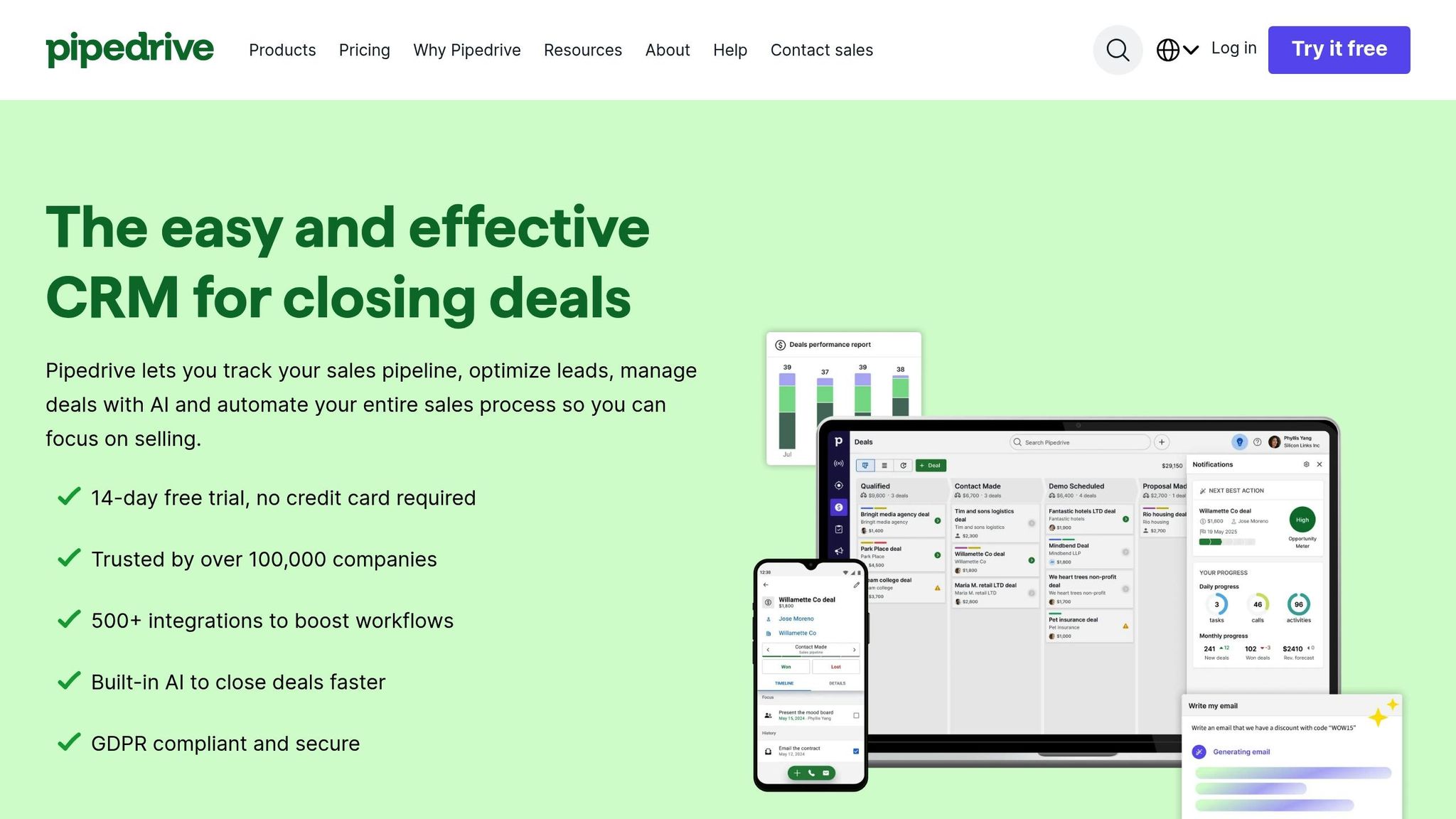
Pipedrive is a visually-driven, sales-focused CRM trusted by over 100,000 teams worldwide. It’s specifically designed for small businesses, offering a straightforward way to manage sales pipelines without the overwhelming complexity of enterprise systems like Salesforce. With its emphasis on clear pricing, Pipedrive is a great fit for smaller budgets. After reviewing other tools, it’s clear Pipedrive stands out with its unique, visual-first approach to pipeline management.
Pricing and Affordability for Small Businesses
Pipedrive provides four pricing tiers, all with upfront costs and a 14-day free trial. Here's a breakdown:
- Lite Plan: $14 per user/month (billed annually), offering basic pipeline management and AI-powered report creation.
- Growth Plan: $39 per user/month, which adds automation and email nurturing tools.
- Premium Plan: $59 per user/month, featuring lead routing and custom scoring.
- Ultimate Plan: $79 per user/month, including advanced security features and phone support.
Annual billing can save users up to 42% compared to monthly payments. Michael Liedtke, Engineering Manager at Escrow.com, shared:
"It was very easy to get up and running with Pipedrive compared to Salesforce".
One notable success story is Accentuate, which transitioned from spreadsheets to Pipedrive and saw a staggering 1,000% increase in annual revenue over four years.
Next, let’s dive into how Pipedrive’s lead capture tools make it a standout choice.
Lead Capture and Enrichment Capabilities
Pipedrive’s LeadBooster add-on, priced at $32.50 per company/month, offers powerful tools to capture and qualify leads:
- Chatbots for 24/7 automated engagement.
- Live chat for real-time conversations.
- Customizable web forms that feed directly into the CRM.
The add-on also includes the Prospector tool, which allows users to search a global database for leads based on specific criteria. Additionally, the Smart Contact Data feature enriches lead profiles with just one click, pulling public information from platforms like LinkedIn and Google.
A great example of its impact is SurfaWhile, which implemented Pipedrive with LeadBooster and cut marketing costs by 80% without sacrificing lead quality. Beyond that, Pipedrive automatically logs emails and calls, creating a visual "Contact Timeline" to track interactions. The mobile app even allows lead capture when offline, keeping you productive on the go.
Automation and Workflow Management
Pipedrive’s automation tools are tailored to businesses of different sizes. The Growth plan introduces automation features like email synchronization, tracking, and nurturing sequences. Its visual pipeline interface makes setting up workflows straightforward and user-friendly.
Monterail, a software consultancy that switched from HubSpot’s free plan to Pipedrive, saw a significant boost in conversion rates. They noted:
"Pipedrive organises my work in such a useful way that I spend most of my workday inside it".
Ease of Integration with Other Tools
Pipedrive integrates seamlessly with over 400 native apps and more than 3,000 additional tools via Zapier. Key integrations include:
- Email and communication: Gmail, Outlook, Slack, Zoom, and Microsoft Teams.
- Marketing tools: Mailchimp and Outfunnel.
- Accounting software: For automated invoicing.
For businesses with unique needs, Pipedrive offers an API for custom integrations. Their customer support is also quick to respond, with an average wait time of just two minutes, ensuring a smooth setup process.
Pipedrive strikes a balance between affordability and powerful functionality, making it an excellent choice for businesses looking to streamline their sales process from prospecting to closing.
5. Nimble
Nimble makes lead management easier by combining key tools into one plan. Forbes even named it the 2025 Best CRM for Solopreneurs and Small Teams. Unlike many competitors that charge extra for additional features, Nimble includes CRM, email marketing, sales prospecting, and automation in its standard plan. It’s also highly rated, holding a 4.5/5 rating on both G2 and Capterra based on thousands of reviews. Let’s dive into Nimble’s pricing, lead capture tools, automation features, and integrations.
Pricing and Accessibility for Small Teams
Nimble’s pricing is refreshingly simple: $24.90 per user/month when billed annually, or $29.90 per user/month for monthly billing. This plan includes 25,000 contact records and 2 GB of storage per user, and there’s no minimum user requirement - perfect for solo entrepreneurs or small teams.
While the base plan is robust, optional add-ons like email marketing upgrades, web forms, and extra data enrichment credits are available for those who need more. Plus, Nimble offers a 14-day free trial with no credit card required, allowing users to test tools like the Prospector browser extension before making a commitment.
Lead Capture and Data Enrichment
One of Nimble’s standout tools is the Nimble Prospector, a browser extension compatible with Chrome, Firefox, Safari, and Edge. This tool lets you capture and enrich leads directly from LinkedIn, social media platforms, or any website. For example, you can hover over a LinkedIn name to instantly create a contact record, complete with details like email, phone number, job title, and location.
In 2024, Tim Hughes, CEO and Co-Founder of DLA Ignite, shared how Nimble transformed his workflow:
"Nimble helped us cut data entry time by 95%. Nimble Prospector enables us to create new contact records in seconds simply by hovering over a name on LinkedIn."
Another success story comes from Marc Scott, CEO of VOpreneur, who reported generating thousands of dollars in new business within just two weeks of using Nimble. He credited its automated reminders and engagement prompts for helping him stay on top of leads.
Nimble also enriches contact records automatically, pulling in social profiles and business data to keep everything updated without manual effort. For inbound leads, the web forms add-on collects data directly from your website and integrates it into workflows. Each user gets 25 enrichment credits per month included in the base plan, with additional credits available for $10/month per 100 credits.
Automation for Smarter Workflows
Nimble streamlines follow-ups and reduces manual tasks with its automation features. Tools like email sequences and Action-Based Triggers allow you to send messages or create notes automatically when a lead moves to a new stage. The Stay in Touch reminders help you schedule follow-ups at custom intervals, ensuring no lead slips through the cracks.
One user even reported achieving an 85% open rate for group messages by using Nimble’s tracking features to refine their outreach strategy. Additionally, Nimble supports unlimited lead pipelines, making it easier to qualify and manage prospects.
Seamless Integration with Your Favorite Tools
Nimble integrates effortlessly with Microsoft 365, Google Workspace, and over 100 other tools via Zapier, including Slack and Microsoft Teams . Updates from your email and calendar sync in real time, so you’ll always have the latest information at your fingertips. The Prospector extension also works directly within LinkedIn, Facebook, and Twitter, allowing you to manage leads without constantly switching tabs.
For on-the-go access, Nimble’s mobile apps for iOS and Android let you view contact details, track activities, and manage deals wherever you are.
Viveka von Rosen, Founder of Beyond the Dream Board, described her experience with Nimble:
"Nimble combines CRM, email automation, and lead capture in one platform. After trying other CRMs, coming back felt like coming home - only more powerful."
Next, we’ll look at more tools designed to simplify lead management even further.
6. Fieldy

Fieldy is a wearable AI-powered note-taking device designed to simplify in-person lead capture. It automatically records face-to-face meetings and phone calls, making it a practical tool for professionals who often network or meet with clients. With over 10,000 users already on board, Fieldy helps capture and organize important moments, extending lead management beyond digital platforms and enhancing your overall strategy.
Pricing and Options for Small Businesses
Fieldy is priced at $99, which includes the hardware and an Essential Membership. This membership comes with 150 free recording minutes, AI-driven chat features, and intelligent reminders. For small businesses focused on personal interactions, this one-time investment offers a cost-effective way to manage leads.
Lead Capture and Smart Organization
Equipped with a high-quality microphone and a battery life of up to three days, Fieldy allows for hands-free operation during events like client meetings, networking sessions, or trade shows. It supports transcription in over 100 languages and generates searchable summaries, turning raw audio into structured insights. With a 4.8 out of 5 user rating, customers value its ability to automate note-taking and the ease it brings to managing conversations.
Automation and Workflow Integration
Fieldy’s Smart Reminders feature simplifies follow-ups by creating tasks from verbal commitments, eliminating the need for manual input. It also offers a desktop companion app that transcribes online meetings and syncs data across devices, ensuring your workflow stays organized and efficient.
7. BIGContacts
BIGContacts stands out among lead management tools with its contact-based pricing model, making it a great fit for small businesses. Instead of charging per user, it allows unlimited team members at no extra cost. For teams managing up to 100 contacts, the platform offers a Free Forever plan that includes features like webform connections and automated emails. If your contact list grows, the Business Plan starts at just $9.99 per month for 1,000 contacts, with pricing adjusted based on the size of your database.
Lead Capture and Enrichment Capabilities
BIGContacts simplifies lead capture through multiple methods, including customizable web forms, Excel or CSV imports, and Google Contacts integration. It automatically maps data to the correct fields, saving time and reducing errors. When you add a contact with a company name, the system creates and links a company record, consolidating all interactions under one business profile. To further customize your data collection, you can use unlimited custom fields and tags, ensuring your sales process stays organized and tailored to your needs.
"BigContacts seems to be the best way to extract data, contact information has all the addresses, tasks, and notes in one place, making it easier for everyone to keep track of what is going on with each company." – Melanie P, Sales Manager
Automation and Workflow Management
BIGContacts offers tools to streamline your workflows, including drip marketing campaigns and sales pipeline triggers that send personalized emails based on a lead's stage. Its drag-and-drop visual pipeline makes tracking progress simple, while automated task reminders help ensure follow-ups aren’t missed. Leads can also be segmented into static or dynamic lists based on their behavior or where they are in the sales funnel. Users have praised its clean, intuitive dashboard, which avoids the clutter often found in more complex CRM systems, earning it a 4.5/5 rating.
Ease of Integration with Other Tools
BIGContacts integrates smoothly with Outlook and Google Workspace, automatically syncing emails, contacts, and calendars. Thanks to its Zapier integration, it connects with over 1,000 third-party apps, including accounting tools, payment processors, and marketing platforms. Additional features like native webform connections, webhooks for capturing website leads, and 24/7 support via phone, chat, and email make it a flexible and user-friendly choice.
8. monday CRM
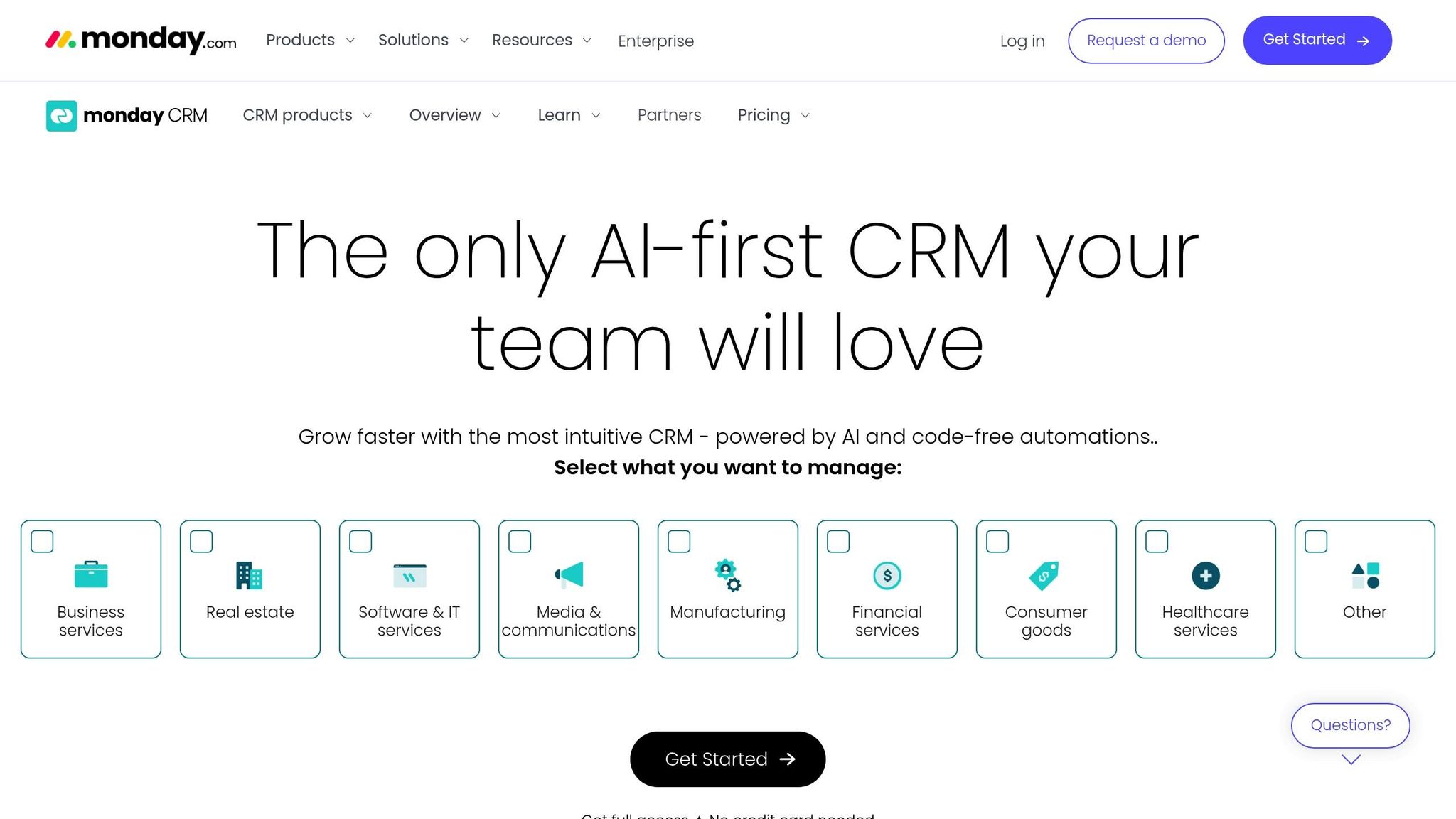
monday CRM offers a spreadsheet-style layout that makes tracking tasks and projects easy for small teams. With a 4.6/5 rating on G2, users frequently highlight its user-friendly interface and the flexibility of its no-code customization options. However, keep in mind that paid plans require at least three users, which means the Basic plan starts at $36 per month. Let’s break down its pricing and features.
Pricing and Affordability for Small Businesses
The Basic plan costs $12 per user per month (billed annually) and includes unlimited contacts, customizable pipelines, and web-to-lead capture. For $17 per user per month, the Standard plan adds features like 2-way email integration with Gmail and Outlook, an AI-powered email generator, and 250 automation actions per month. The Pro plan, priced at $28 per user per month, offers advanced tools such as sales forecasting, email tracking, and up to 25,000 automation actions monthly. If you opt for annual billing, you can save 18%. Plus, there’s a 14-day free trial of the Pro plan, giving you a chance to explore its capabilities before committing.
Lead Capture and Enrichment Capabilities
monday CRM simplifies lead capture through WorkForms, manual imports, and integrations with platforms like Facebook Ads and LinkedIn. The Standard plan and higher tiers include an automatic data enrichment feature that fills in missing details about contacts and companies, creating more complete profiles. AI sales agents work tirelessly to source, qualify, and prioritize leads, even scheduling meetings directly in the system. Businesses using monday CRM have seen an 80% boost in opportunity capture and saved over 3,500 hours by automating repetitive data-entry tasks. The AI also extracts key information from calls, emails, and uploaded files, ensuring that lead data stays accurate and up to date.
Automation and Workflow Management
With its no-code automation builder, monday CRM makes it easy to create workflows like sending thank-you emails or triggering notifications - no technical skills required. Fernanda Falcon, an Account Manager at Inteli-k, shared her experience:
"The AI email generator helps me communicate better. The AI emails have a higher response rate since they are clearer and more objective in terms of the purpose of the message".
The drag-and-drop interface allows users to set up triggers based on pipeline stages effortlessly. While the Standard plan includes 250 automation actions per month, the Pro plan significantly expands this to 25,000. monday CRM also boasts a 26X ROI, backed by accurate data and seamless execution across its global customer base of over 250,000 users.
Ease of Integration with Other Tools
monday CRM integrates with more than 500 apps and tools, including Slack, Microsoft Teams, Zoom, and DocuSign, helping you streamline your workflow without the hassle of complicated setups. It syncs seamlessly with Gmail and Outlook, keeping all lead interactions - like calls, emails, and meetings - organized within the CRM. The Pro plan extends integrations to marketing platforms like HubSpot, Mailchimp, and Facebook Ads. For teams on the move, the mobile apps for iOS and Android allow sales reps to manage leads, update boards, and log calls automatically, all while providing real-time updates on the sales pipeline.
9. LeadSquared
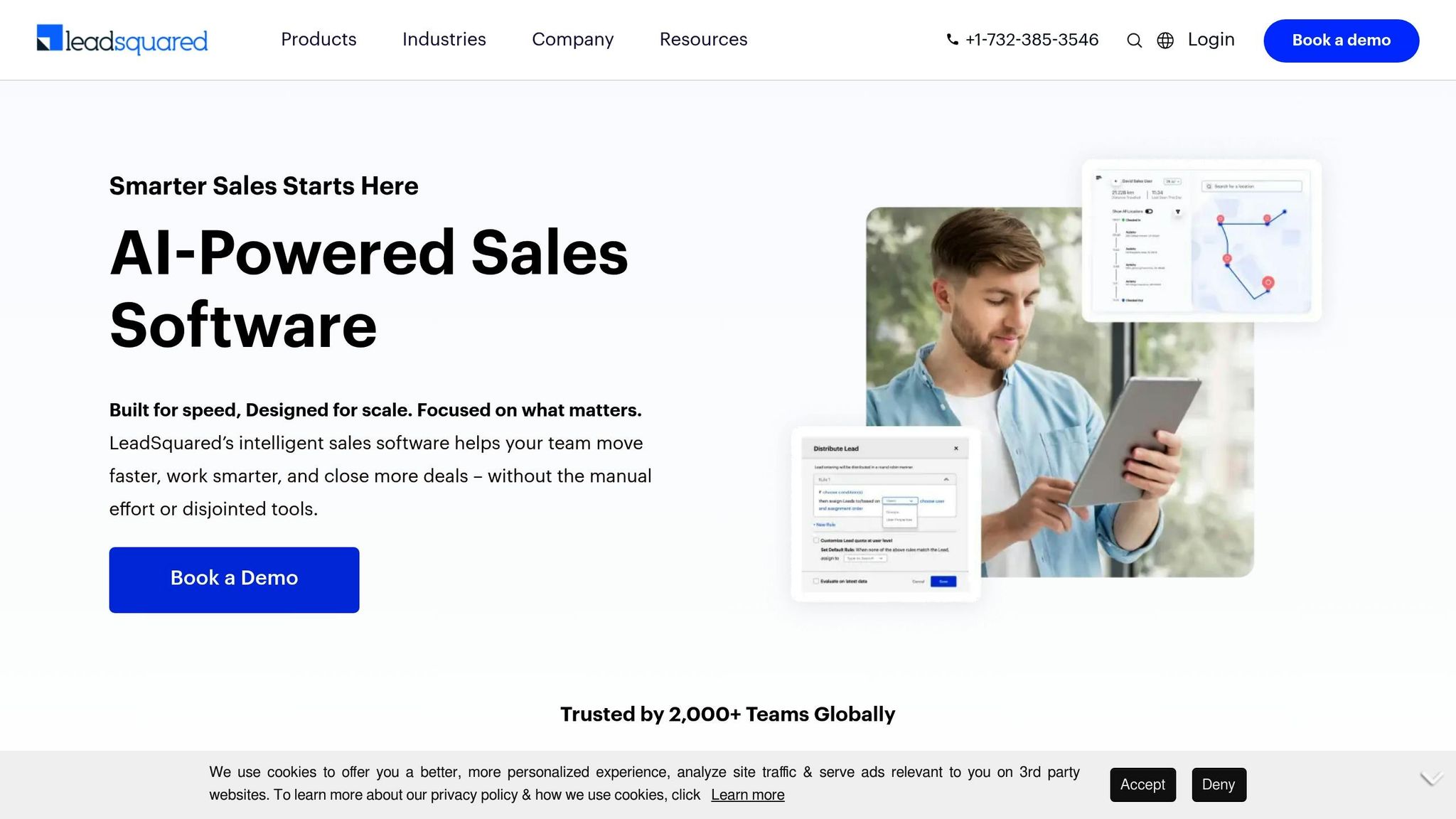
If you're a small business looking to grow, LeadSquared offers a powerful suite of tools to streamline your sales and lead management processes. Tailored for fast-moving sales teams handling large volumes of leads, it has earned an impressive 4.6/5 rating on G2. With over 2,000 customers worldwide, LeadSquared centralizes leads from both online and offline sources, aiming to eliminate lead leakage entirely. Users have reported remarkable results, including up to 10X productivity boosts and 30X growth in lead volume after adopting the platform. Pricing starts at about $25 per user per month, making it a practical option for small businesses ready to scale.
Pricing and Affordability for Small Businesses
The entry-level plan is priced at approximately $25 per user per month, with costs increasing for businesses requiring advanced features, more integrations, or additional users. A free trial is available, allowing you to explore the platform's functionality before committing. For small teams managing growing lead volumes, this pricing model offers flexibility and scalability without straining the budget.
Lead Capture and Enrichment Capabilities
LeadSquared excels at automatically capturing and enriching leads from a variety of sources, including website forms, social media platforms, and digital ads. The platform simplifies lead management with its lead-account mapping feature, which groups leads by extracting organization names from email domains, reducing manual data entry. It also tracks website visitors, identifying companies browsing your site and analyzing the content they engage with - helping you pinpoint high-intent prospects. Additionally, its lead scoring system evaluates engagement metrics, enabling your team to focus on the most promising opportunities.
Automation and Workflow Management
LeadSquared takes automation to the next level, helping businesses streamline their sales workflows. Co-founder Piyush Gupta likened the platform's automation to building with Lego blocks, stating:
"LeadSquared's automation is very flexible, it's like Lego but for automation. We could save at least 2-3 hours of an employee's average day."
The platform efficiently routes leads using methods like round-robin distribution or criteria-based assignments, such as expertise, availability, or location. Real-time alerts keep your team informed about task assignments, follow-ups, and lead stage updates. Automated communication sequences via WhatsApp, SMS, email, and phone ensure consistent engagement with prospects. For field sales teams, the mobile app offers offline functionality, real-time location tracking, and automated day planning - resulting in a 65% call connection rate for sales teams.
Ease of Integration with Other Tools
LeadSquared integrates effortlessly with a wide range of tools and platforms. It works with telephony systems like Ringcentral, Ozonetel, and CallTrackingMetrics, as well as meeting tools such as Zoom, Calendly, and Google Meet. Payment gateways like Razorpay and PayU are supported, and it syncs seamlessly with marketing platforms like Google Ads, Facebook Ads, and Instagram Ads. Rohit Rana, Vice Chair, shared:
"Comparing it to the other CRM I used, we chose LeadSquared because of their customization and the integrations it offered with other platforms."
The platform also includes over 135 pre-built reports to help you track campaign spending and sales performance. Additionally, it meets high security standards, being BSI ISO 27001:2013 certified and compliant with SOC, HIPAA, and GDPR regulations.
10. Flowlu
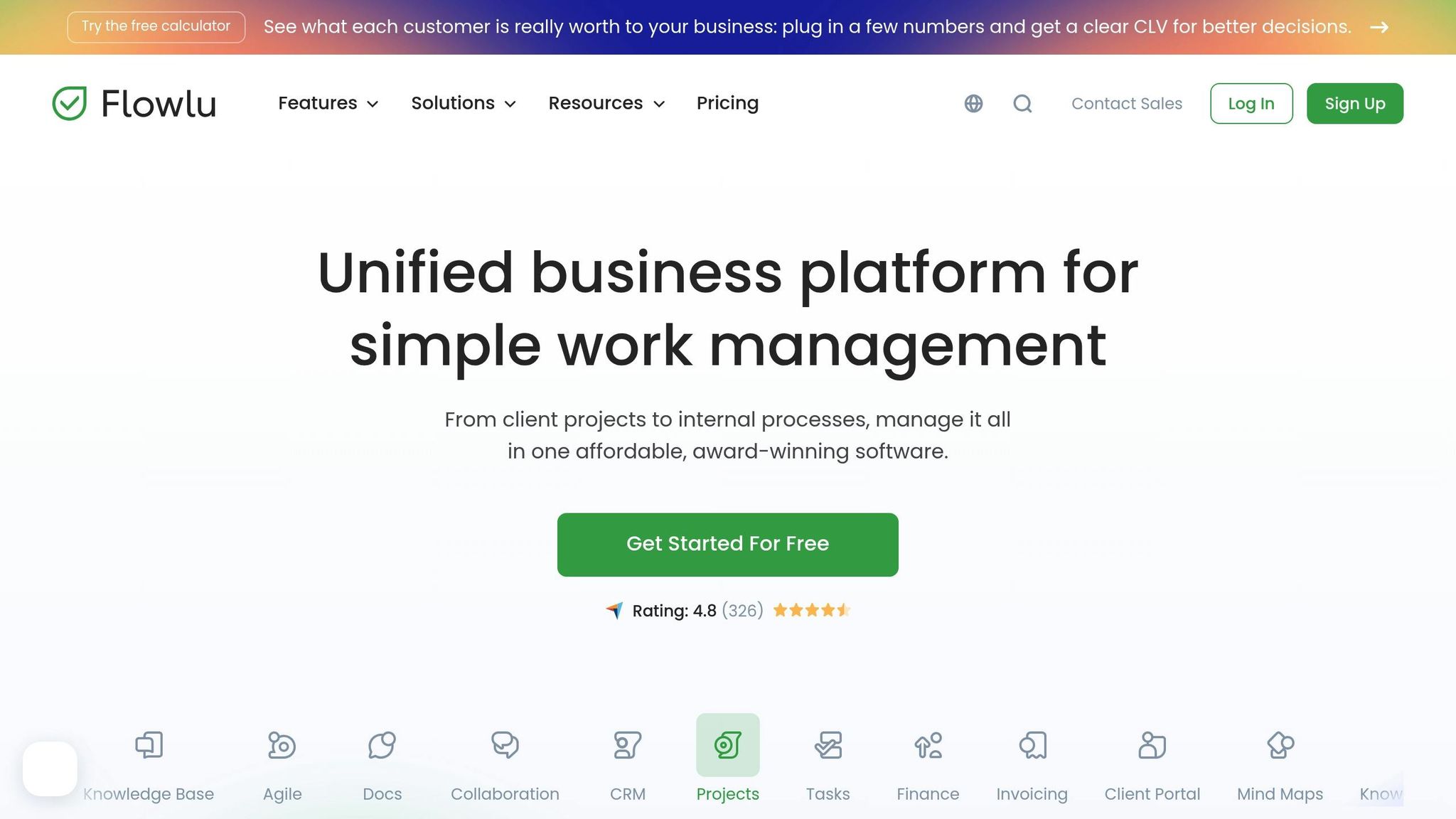
Flowlu brings together lead management, project tracking, and financial tools in one platform, eliminating the need for multiple systems. Users have reported impressive benefits: 30% less manual work, 25% fewer internal messages, and 15% faster project delivery times. Joshua M., a company founder, highlighted its importance for smaller teams:
"This is especially important for small companies like mine that don't have a lot of administrative support. Flowlu puts all your client interactions at your fingertips."
Pricing and Plans for Small Businesses
Flowlu offers a free plan for up to 2 users, which includes 100 contacts, 1 pipeline, and lead capture forms. For those needing more features, the paid plans start at $9 per user per month (billed annually) under the Essential tier. This plan includes email sync, custom fields, and CRM reports. The Advanced plan, priced at $17 per user per month, adds features like sales automation, email tracking, and a duplicate merge tool. For businesses seeking the most comprehensive features, the Ultimate plan offers expanded capabilities with custom pricing options.
Lead Capture and Management Features
Flowlu simplifies lead capture with customizable web forms that automatically add new opportunities to the system. Its telephony integration takes this further by creating new contacts, opportunities, and tasks directly from calls made on the platform. While it doesn’t provide external data enrichment like some competitors, Flowlu focuses on creating detailed records. These records consolidate interaction history, linked projects, tasks, events, and financial documents. Users can also tailor contact profiles with custom fields specific to their industry, and the duplicate merge feature ensures the database stays clean and accurate.
Automation and Workflow Optimization
Flowlu’s automation tools reduce manual effort and keep processes running smoothly. Custom automation rules can trigger personalized email sequences right after lead capture. Smart notifications ensure your team stays updated without constant manual input. The platform also tracks email opens and clicks, giving clear insights into prospect engagement. Danijel Bićanić, Sales Trainer and Owner at Bićanić Consulting, shared his experience:
"We chose Flowlu because it centralizes our operations, sales, and project management in a single platform. It gives us a clear overview of events, deadlines, and tasks at a glance."
Flowlu’s mobile app for iOS and Android allows users to manage leads and communication history from anywhere. Security is a priority, with TLS encryption and customizable user permissions safeguarding sensitive data.
Integration with Communication Tools
Flowlu enhances its core features by integrating with popular communication platforms. It connects seamlessly with email and messaging apps like WhatsApp, Viber, and Telegram, making lead nurturing more streamlined. While it may not have the extensive third-party integrations of larger enterprise solutions, its strength lies in consolidating essential business functions - CRM, project management, and financial tracking - into one intuitive system.
Tool Comparison Table
The table below highlights pricing, standout features, and ideal users for each tool, making it easier to choose the right fit for your needs.
| Tool | Starting Price | Free Plan/Trial | Best For | Key Differentiator |
|---|---|---|---|---|
| Enrichfox.ai | $0.00025 per verified email | Pay-as-you-go model | Businesses needing accurate contact enrichment | 99% email validation accuracy, including catch-all email detection and phone verification |
| HubSpot CRM | $15/user/mo | Free for 2 users (up to 1M contacts) | Inbound marketing and all-in-one operations | Robust free plan with prospecting tools for monitoring web visitors |
| Zoho CRM | $14/user/mo | Free for 3 users | Multichannel engagement across email, SMS, social, phone | Omnichannel platform with Zia AI for sentiment analysis and predictive analytics |
| Pipedrive | $14/user/mo | 14-day free trial | Sales teams focused on visual pipeline management | Visual deal tracking with AI-powered prioritization |
| Nimble | $24.90/user/mo | 14-day free trial | Relationship-focused selling and social media engagement | Browser extension that pulls contact data from LinkedIn, Twitter, and email |
| BIGContacts | $9.99/mo | Free for small teams | Non-technical users needing simple email marketing | Built-in drip campaigns run directly from contact records |
| monday CRM | $12/user/mo (3-user minimum: $36/mo) | 14-day free trial | Teams wanting a spreadsheet-style interface | No-code automation with color-coded qualification labels |
| LeadSquared | $25/user/mo | Custom demo available | High-volume sales operations | Real-time lead routing based on geography or lead source |
| Flowlu | $9/user/mo | Free for 2 users (100 contacts) | Small teams needing CRM, project management, and financial tools | All-in-one platform consolidating multiple business functions |
HubSpot and Zoho stand out with their free tiers, offering robust tools for growing teams. Enrichfox.ai is a cost-effective choice for businesses focused on precise contact enrichment at just $0.00025 per verified email. For those seeking simplicity, BIGContacts provides an affordable option at $9.99/month. Meanwhile, monday CRM’s three-user minimum supports visual workflows, and LeadSquared caters to high-volume teams with real-time lead routing. Pipedrive and Nimble are excellent for relationship-driven sales, while Flowlu is ideal for teams needing a single platform for CRM, project management, and invoicing.
"monday CRM is the winner in the easy-to-use lead management CRM category... its no-code CRM automation and drag-and-drop functionality facilitate seamless deal management".
Use this guide to find the tool that aligns best with your sales strategy before diving into our final insights.
Conclusion
Finding the right lead management tool means aligning it with your current needs and long-term goals. If you're working with no budget, HubSpot CRM provides a solid free plan to get you started. For those prioritizing accurate contact data and flexible pricing, Enrichfox.ai is a great option, offering 99% email validation accuracy for just $0.00025 per verified email.
Small teams might prefer tools with user-friendly, visual interfaces. Platforms like monday CRM and Pipedrive offer 14-day trials, making it easy to explore their features without a steep learning curve. If you're focused on scaling quickly and need advanced features like lead scoring at a reasonable price, Zoho CRM is worth considering.
Before finalizing your choice, take the time to test your shortlisted options. Start by mapping out your sales process to determine whether you need a simple contact list or a more complex sales pipeline with automation. Make use of free trials and involve your sales team - they'll provide valuable insights into how each tool fits into your workflow.
Don’t forget to evaluate mobile apps and data entry processes during your trials. Also, watch out for hidden costs like user minimums (e.g., monday CRM requires three users at $36/month) or onboarding fees. The best tool should handle your current workload seamlessly while offering room to grow as your lead generation efforts expand.
FAQs
What should small businesses look for in a lead management tool?
When selecting a lead management tool, small businesses should focus on finding a balance between cost, simplicity, and features that match their sales process. Choose tools with clear pricing and flexible plans that allow you to start small and grow as your needs evolve.
A straightforward, user-friendly interface is key for getting your team up to speed quickly. Features like automated lead capture, organized contact management, and follow-up reminders can make handling leads much smoother. Tools that integrate seamlessly with your current apps and offer real-time reporting can also help streamline your workflow and give you a clearer picture of your sales pipeline.
Lastly, opt for tools that offer dependable customer support and robust data security to safeguard your sensitive information. By weighing affordability, functionality, and scalability, you can find a lead management solution that aligns with your business goals and supports growth.
How does Enrichfox.ai work with my current CRM system to manage leads?
Enrichfox.ai works effortlessly with your current CRM system, simplifying and improving how you manage leads. It offers three primary ways to connect:
- Native Integrations: Enrichfox.ai comes with plug-ins for well-known CRMs like HubSpot, Salesforce, and Pipedrive. Once set up, it automatically enriches your CRM data - adding details like company size, verified emails, and social profiles - without any manual effort.
- Workflow Automation Tools: By leveraging platforms such as Zapier, Enrichfox.ai enables automated workflows. For instance, when new leads are added through forms or spreadsheets, the enriched data is synced directly to your CRM.
- Custom API Integration: Got a unique system? Enrichfox.ai offers a RESTful API, allowing developers to fetch enriched lead data and update CRM records in real-time or in batches.
These flexible integration options make it easy for businesses to maintain accurate, well-organized lead data, no matter which CRM they use.
What’s the difference between free and paid lead management tools?
Free lead management tools can be a fantastic option for small businesses just getting started. They typically include essential features like capturing and organizing leads without any cost. However, these free plans often come with restrictions, such as limits on the number of users, contacts, integrations, and automation features. For instance, they’re generally geared toward smaller teams and might only offer basic customer support.
On the flip side, paid tools open the door to a more robust set of features. These often include unlimited contacts, AI-driven insights, custom branding, and priority customer support. Paid plans also provide advanced automation, in-depth analytics, and the ability to scale as your business grows. While free tools are perfect for small teams or those just starting out, investing in a paid plan - usually around $20–$25 per user per month - can provide the flexibility and tools needed for sustainable growth.