What Are Catch-All Email Domains?
Understand catch-all email domains: how they accept all mail, key benefits and risks, and best practices to detect and manage them for deliverability.
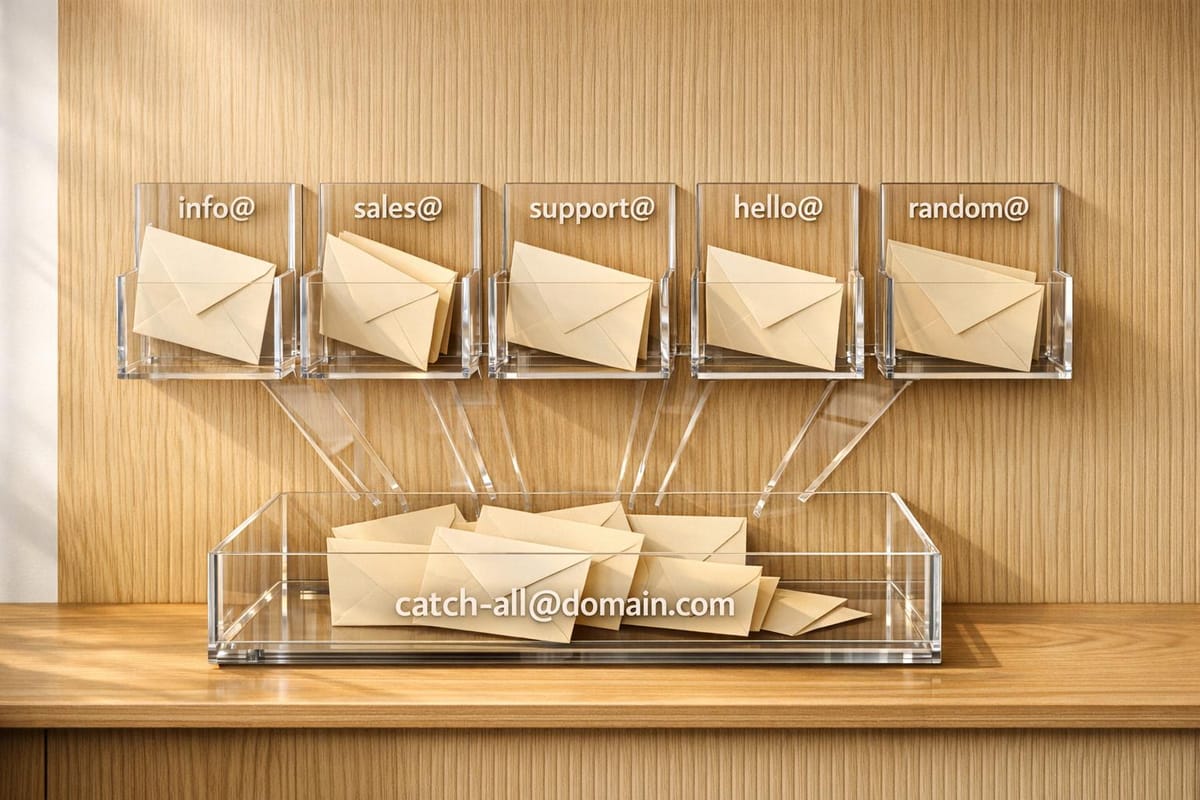
A catch-all email domain accepts all emails sent to a domain, even if the specific address doesn’t exist. Instead of bouncing back invalid emails, these are rerouted to a designated mailbox. Businesses often use catch-all domains to prevent missed emails due to typos, manage temporary email addresses, and protect against certain cyberattacks. However, they come with challenges like increased spam, higher bounce rates, and potential deliverability issues.
Key Points:
- How It Works: Catch-all domains accept all emails, valid or not, and route them to a fallback address.
- Why Use Them: Prevent email loss, create temporary addresses, and monitor security risks.
- Challenges: Spam overload, difficulty verifying addresses, and potential damage to sender reputation.
- Best Practices: Segment catch-all emails, monitor engagement, and use verification tools like Enrichfox.ai to manage risks.
Catch-all domains can help businesses stay responsive but require careful management to avoid deliverability problems.
How Catch-All Email Domains Work
Technical Setup and Email Routing
When an email hits a catch-all domain, the server accepts all incoming SMTP requests, even if the specific mailbox doesn't exist. Here's how it works: first, the server checks if the email address matches an existing mailbox or alias. If no match is found, the catch-all rule kicks in, sending the email to a fallback address instead . To make this system work, the domain needs valid MX (Mail Exchange) records pointing to the mail server, and often a TXT record for domain verification .
"Think of it like a post office that accepts all mail addressed to a building, regardless of whether the specific apartment number exists." – Enrichley
Typically, businesses route these emails to a central administrative inbox (like admin@company.com), a shared mailbox monitored by multiple team members, or a system that directs emails to specific departments. Some servers, however, quietly discard emails addressed to invalid addresses without sending a bounce notification. Others use a delayed bounce approach - initially accepting the message but generating a hard bounce later if internal processing fails.
Different platforms handle catch-all configurations in unique ways. For example:
- cPanel uses the "Default Address" feature to forward unrouted emails.
- Microsoft 365 requires switching the domain status from "Authoritative" to "Internal Relay" and setting up a Mail Flow Rule.
- Google Workspace manages catch-all settings through the Admin Console under Gmail Routing for "Unrecognized/Catch-all" account types.
These configurations determine how and when catch-all domains can be effectively implemented.
When to Use Catch-All Domains
Catch-all domains are useful in several situations, including typo protection, operational flexibility, and security monitoring. One of the most common uses is typo protection. For example, if someone emails "jhon.smith@company.com" instead of "john.smith@company.com", the catch-all rule ensures the message still reaches the company . This is especially important for sales and support teams, where missing a single lead or inquiry can be costly.
Another benefit is operational flexibility. Marketing and sales teams can quickly create temporary email addresses for campaigns - like spring2026promo@company.com - without needing IT to set up new mailboxes . With a catch-all system, these addresses work right away, making campaign execution much smoother.
Security monitoring is another key use case. Catch-all domains can help protect against email enumeration attacks, where hackers try to identify valid employee addresses. Since the server accepts every address, these attacks become less effective. Additionally, catch-all domains can capture emails sent to former employees, ensuring no critical messages are lost during staff transitions .
Keep in mind that DNS propagation can take anywhere from a few minutes to 24 hours, so plan ahead when setting up a catch-all domain . These scenarios highlight the practical applications of catch-all domains and help assess their benefits and limitations.
Setup a catch all address
Pros and Cons of Catch-All Email Domains
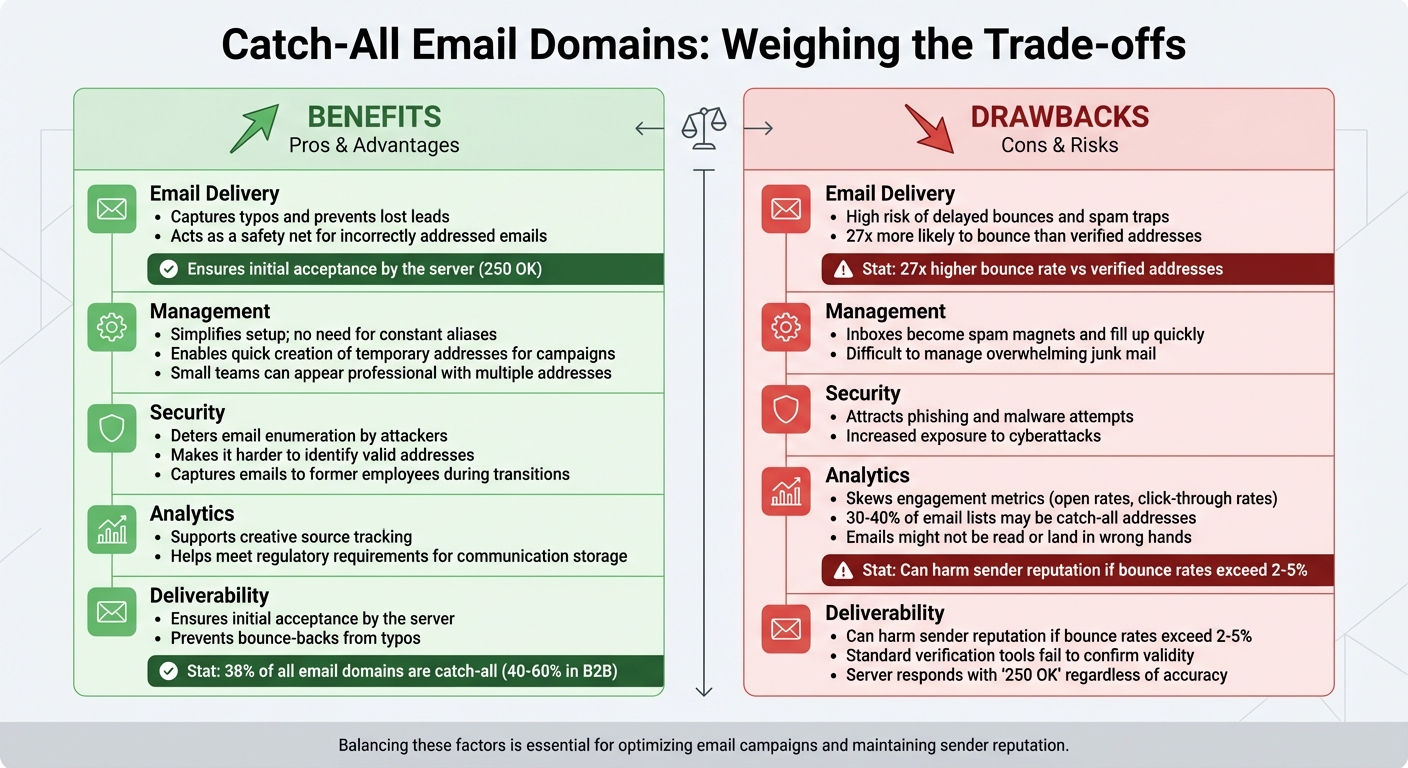
Pros and Cons of Catch-All Email Domains: Benefits vs Drawbacks Comparison
Benefits of Catch-All Domains
Catch-all domains act as a safety net, ensuring emails sent to incorrectly addressed addresses still reach their destination. For example, if a prospect emails suppor@company.com instead of support@company.com, the message won't get lost - it's still delivered. This is particularly useful since many B2B domains use this setup, helping businesses avoid missing out on potential leads.
This configuration also offers operational flexibility. Small teams or startups can appear more professional by using multiple addresses like sales@, info@, or billing@, all of which can funnel into a single inbox.
"It's a simple way to stay responsive even when your org chart is shifting." – Georgia Austin, Founder, Wordbrew
From a security perspective, catch-all domains make it harder for attackers to identify valid email addresses because the server accepts all incoming mail. Additionally, they can help businesses meet regulatory requirements in industries where capturing and storing all communications is mandatory.
Drawbacks of Catch-All Domains
While catch-all domains have their perks, they also come with challenges. One major downside is the increased risk of spam and cyberattacks. Since the server accepts any email address, inboxes can quickly become overwhelmed with junk mail, making them harder to manage.
Deliverability issues are another concern. Emails sent to unverified catch-all addresses are about 27 times more likely to bounce than those sent to verified addresses. High bounce rates - anything above 2–5% - can hurt your sender reputation and even lead to emails being flagged as spam by ISPs.
There's also the issue of verification. Standard tools often fail to confirm whether a catch-all address is valid because the server responds with "250 OK" regardless of the email's accuracy. This creates problems for marketers, as catch-all addresses can make up 30–40% of email lists. Emails sent to these addresses might not be read, could land in the wrong hands, or skew important metrics like open and click-through rates.
| Feature | Benefits (Pros) | Drawbacks (Cons) |
|---|---|---|
| Email Delivery | Captures typos and prevents lost leads | High risk of delayed bounces and spam traps |
| Management | Simplifies setup; no need for constant aliases | Inboxes can become spam magnets and fill up quickly |
| Security | Deters email enumeration by attackers | Attracts phishing and malware attempts |
| Analytics | Supports creative source tracking | Skews engagement metrics due to inactive or unmonitored inboxes |
| Deliverability | Ensures initial acceptance by the server | Can harm sender reputation if bounce rates exceed 2–5% |
Balancing these pros and cons is essential for optimizing your email campaigns and maintaining accurate metrics. By understanding these trade-offs, you can better manage catch-all domains and their impact on your outreach efforts.
How to Detect and Manage Catch-All Domains
Methods for Detecting Catch-All Domains
Identifying catch-all domains can be tricky, but one reliable approach is SMTP tickling. This method involves connecting to the mail server and testing whether it accepts a fake email address - like "random123@domain.com." If the server accepts this address instead of returning a "550 User not found" error, the domain is configured as a catch-all. Studies show that about 38% of all email domains are catch-all, with B2B domains ranging between 40% and 60%.
Another option is to use a verification tool to test a random, non-existent email address. If the tool labels it as "risky" or "accept-all" rather than "invalid", the domain is likely catch-all. For Google Workspace users, the "Smart chips" feature in Google Sheets can help. If an email address converts into a "people chip", it’s probably valid.
Standard email verification tools often struggle with catch-all domains because they only confirm whether the server accepts mail - not if the specific mailbox exists. Advanced tools, however, analyze factors like bounce patterns, domain age, and historical data to assign confidence scores instead of simple valid/invalid labels. For example, one study compared 100 catch-all addresses to 100 verified ones and found that the catch-all group had a 27% bounce rate, compared to just 1% for verified addresses.
Best Practices for Handling Catch-All Emails
Managing catch-all domains effectively is essential for maintaining email deliverability and engagement. Start by segmenting catch-all addresses from verified ones to monitor bounce and engagement rates separately. A catch-all rate of 0–5% is typical for most email lists, but exceeding 40% suggests a high-risk database.
When sending to catch-all addresses, work in small batches of 5–20 emails with personalized content. For example, if you send 100 emails daily to verified leads, limit catch-all campaigns to 20–30 emails per day to protect your sender reputation. Keep a close eye on engagement - if an address shows no opens or clicks for 30–60 days, suppress it to avoid damaging your deliverability metrics. Given that email data decays at about 2–3% per month, re-verify catch-all segments every 45–60 days, or at least twice a year.
"Accept-all does not mean valid. It simply means accepted at the server level." – EmailAddress.ai Customer Success Team
For campaigns targeting catch-all domains, consider using a dedicated subdomain (e.g., outreach.company.com) to isolate any potential risks from your primary domain.
Email Verification Tools for Catch-All Detection
Enrichfox.ai for Catch-All Email Detection
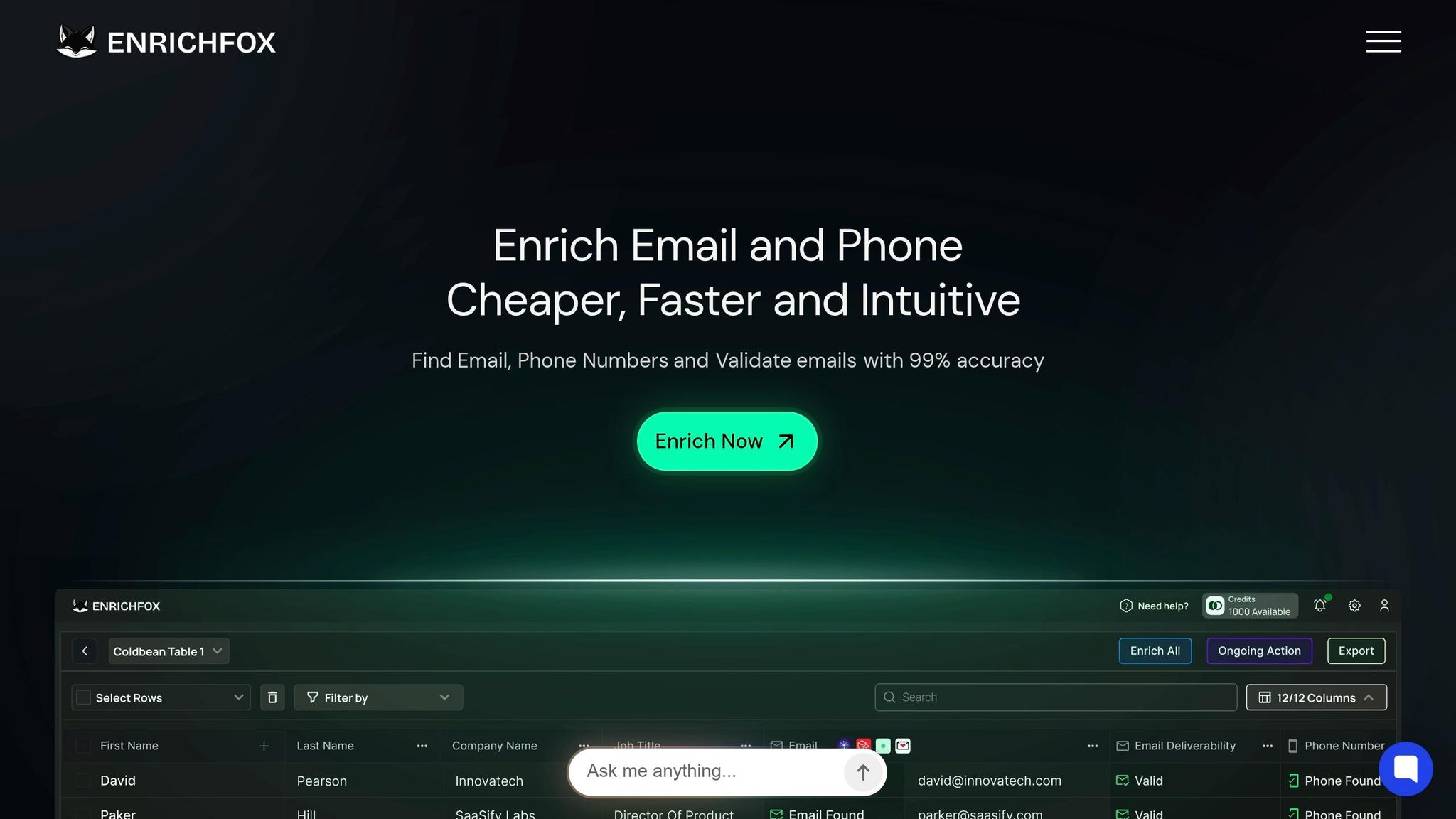
Enrichfox.ai takes a multi-signal approach to catch-all email detection, analyzing factors like TTFB (Time to First Byte), greeter latency, and SMTP error codes. This helps it differentiate between firewall responses and actual inboxes, something many tools struggle to do.
With a 98% accuracy rate for catch-all domains, Enrichfox.ai can recover 40–60% of flagged leads. For instance, if you upload a list of 1,000 B2B contacts and 400 are marked as catch-all by other tools, Enrichfox.ai could verify 160–240 of those as valid and deliverable.
The platform assigns a confidence score (0–100) to every email address, giving you control over how to handle each lead. For example, addresses scoring above 85 might be added to your main outreach campaigns, while those scoring between 60 and 85 could be directed to secondary warm-up efforts. Enrichfox.ai supports real-time API validation for form submissions and bulk CSV processing for larger lists. Plus, it offers integrated enrichment, providing extra details like names, roles, and company data alongside verification results.
Pricing is straightforward and pay-as-you-go: $0.00025 per verified email, $0.05 per email found, and $0.03 per validated phone number. You only pay for successful verifications, making it a cost-effective solution for your email campaigns.
How Enrichfox.ai Compares to Other Tools
Enrichfox.ai sets itself apart from competitors with its advanced verification capabilities. Many tools, like Hunter and Neverbounce, rely on basic SMTP handshakes, which often fail with catch-all domains because these servers accept all addresses by default. Similarly, platforms like Apollo and ZoomInfo frequently label catch-all domains as "risky", forcing you to either discard potentially valuable leads or risk damaging your sender reputation.
Dropcontact offers a more refined approach, verifying 70–80% of catch-all addresses and converting them into a standardized nominative format. While Dropcontact claims 99% accuracy for nominative emails and 90% for catch-all, Enrichfox.ai surpasses this with its 98% accuracy for catch-all domains and its ability to recover 40–60% of flagged leads. This feature is especially critical in B2B campaigns, where catch-all domains often represent 40–60% of your target list.
"Catch-all domains accept everything. Smart verification tells you what is actually safe." – EmailAddress.ai
The standout feature of Enrichfox.ai is its methodology. Unlike most tools that stop at server-level responses, Enrichfox.ai uses proprietary behavioral analysis and pattern recognition across known inbox formats. This approach helps retain high-value B2B leads without compromising deliverability. Discarding all catch-all emails could mean losing up to 60% of your potential contacts, including top-tier enterprise leads. By offering advanced verification, Enrichfox.ai ensures you can keep these valuable leads while maintaining strong deliverability rates - a critical balance for successful outbound campaigns.
Conclusion
Catch-all email domains make up about 40% to 60% of B2B email addresses, meaning they play a significant role in any effective lead enrichment strategy. These domains accept all incoming mail at the server level, which makes it impossible for standard SMTP verification tools to confirm if a specific mailbox is valid. Because of this, businesses often face two risky choices: either delete these addresses outright - potentially losing up to 60% of their B2B leads - or send emails blindly, which can result in bounce rates as high as 27%.
"Accept-all addresses shouldn't be discarded automatically, but they shouldn't be treated like fully valid ones either." - Hunter.io
The best approach isn’t to avoid these domains but to verify them effectively. Tools like Enrichfox.ai use advanced techniques like behavioral analysis and pattern recognition to identify active addresses with up to 98% accuracy. This allows businesses to recover and safely use leads that basic verification tools might flag as risky, all while protecting their sender reputation.
A smart strategy involves segmenting catch-all addresses and including them in campaigns in small amounts - around 2% to 5% of your total email volume. By monitoring engagement, you can move responsive addresses (those that open or click) to your primary list and suppress the unresponsive ones. Since email data tends to decay by 2% to 3% per month, re-verifying these segments before major campaigns ensures your bounce rate stays below 2%.
Ultimately, understanding and managing catch-all domains goes beyond just maintaining deliverability. It’s about expanding your addressable market while keeping your data clean and actionable. With the right tools and strategy, what many see as a challenge can actually become an opportunity to stand out.
FAQs
Should my business use a catch-all domain?
Using a catch-all domain comes down to your goals and how much risk you're willing to take. On the plus side, it ensures that any email sent to your domain - typos and all - lands in your inbox. But there's a downside: it can open the floodgates to spam and potentially hurt your sender reputation.
For lead generation, tools like Enrichfox.ai can help by validating catch-all emails, minimizing some of the risks. If your priority is ensuring you don’t miss any emails and the risks feel manageable, a catch-all setup might be worth it. However, if maintaining strong deliverability and a good sender reputation matter more, it’s better to skip the catch-all approach.
How can I tell if a domain is catch-all?
To figure out if a domain is a catch-all, try sending test emails to random or invalid addresses within that domain. If the server accepts these emails without bouncing them back, there's a good chance it's a catch-all. Another option is to use email verification tools. These tools check the server's response through SMTP to identify catch-all setups. Both approaches can help confirm if the domain accepts emails for any address, even if those addresses don't actually exist.
How do I email catch-all addresses safely?
To email catch-all addresses responsibly, you need to understand their potential risks. These addresses accept all emails sent to a domain - even ones that don't exist. While this might sound convenient, it can seriously impact your email deliverability if you're not careful.
Here are some tips to stay safe:
- Use email verification tools like Enrichfox.ai to evaluate the risks associated with catch-all addresses.
- Limit your outreach to these addresses, keeping them to just 2-5% of your total campaigns.
- Keep a close eye on engagement metrics and bounce rates to identify any issues early.
- Never assume that catch-all addresses are valid. Always implement strategies to manage the risks and safeguard your sender reputation.
By following these steps, you can minimize potential problems while maintaining effective email campaigns.